 ArchFlow
Version 0.4.8 · free and open source (MIT)
A network diagram people actually want to look at
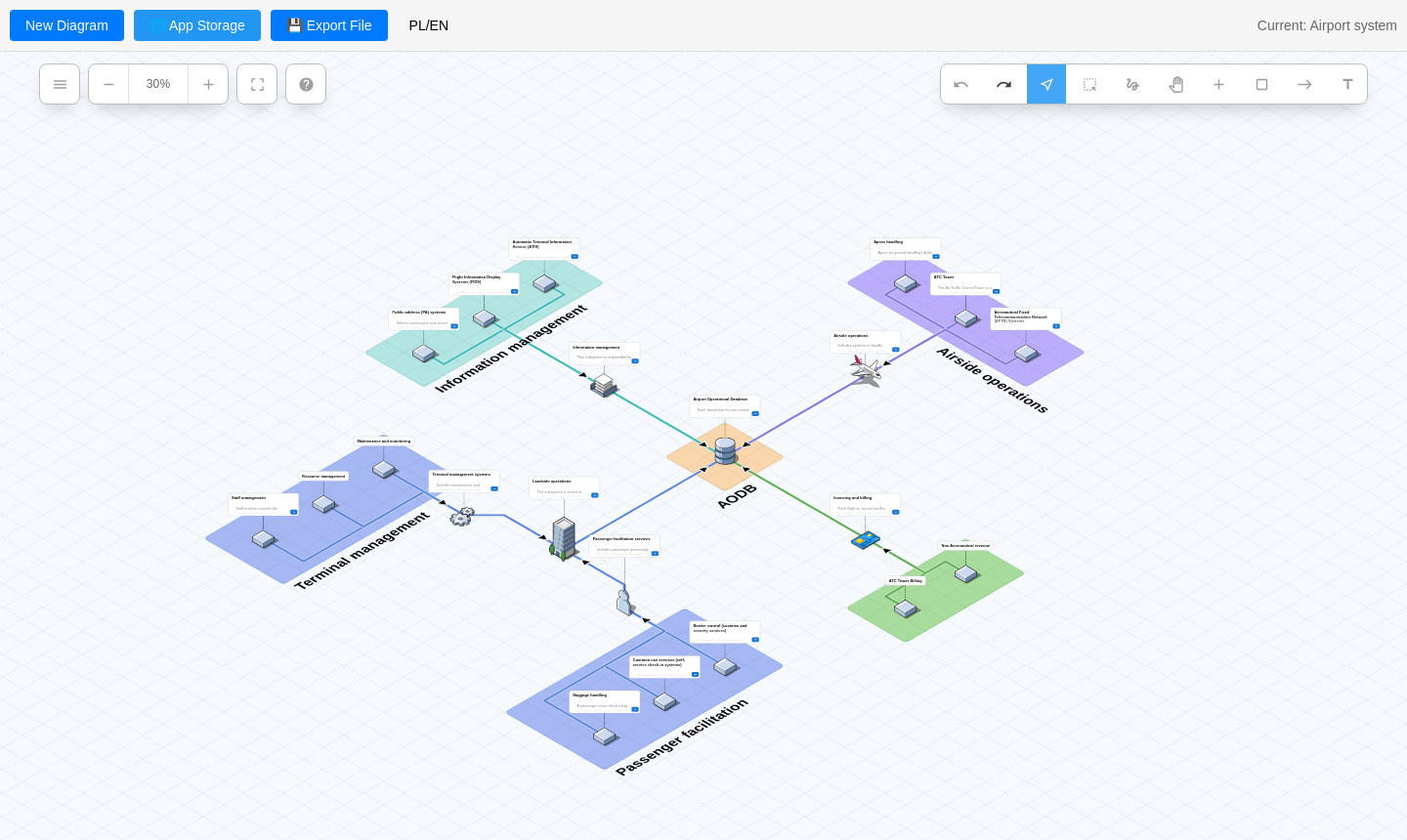
ArchFlow draws clear, isometric diagrams of systems, networks and cloud infrastructure. Drag servers, databases and services onto the grid, connect them with a click and group them into coloured zones. It runs in the browser, you host it yourself with one Docker command, or run it as an ordinary program.
The demo runs entirely in your browser - nothing is sent to a server. On your own server, diagrams are saved as files.
- Current version
- 0.4.8
- Price
- free
- Licence
- open source, MIT
- Runs
- in the browser, in Docker and as a desktop app
- Languages
- English and Polish
What it does
Everything to draw an architecture and explain it
An ordinary block diagram soon becomes hard to read. An isometric view shows servers, databases and services like a scale model - you see at once what talks to what and where each part of the system ends.
Isometric grid
Drag components onto the grid, zoom, pan and fit the whole diagram to the screen.
A large icon library
Built-in Isoflow icons plus AWS, Azure, Google Cloud and Kubernetes packs, loaded only when they are needed.
Your own icons
Any PNG, SVG or JPG picture as an icon. It is saved in the diagram, so it travels with the file.
Connections, zones, labels
Connect items by clicking one and then the other, group them into coloured zones, add text and formatted descriptions.
Fast editing
Undo and redo, selection with a rectangle or a freehand lasso, and keyboard shortcuts you can set your own way.
Export
The diagram as a portable JSON file or a PNG image with a chosen resolution, background and cropping.
Saved on your server
In Docker, diagrams are plain files on the server, shared by the whole team, with read-only links.
Desktop app
A version for Windows, macOS and Linux saves diagrams straight to the Documents/ArchFlow folder.
English and Polish
The whole interface in English and Polish - menus, dialogs, settings, tooltips and help. The chosen language is remembered.
App storage
Your team's diagrams in one place
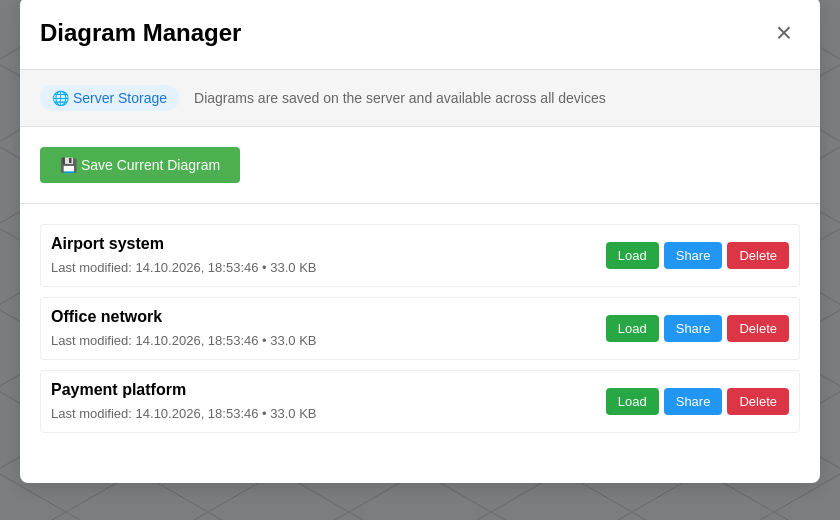
Hosted in Docker, ArchFlow keeps a list of named diagrams on the server:
- each diagram is a plain JSON file in the
./diagramsfolder - a copy of that folder is all the backup you need, - a shared list for everyone who opens the same address,
- a read-only link - send someone a diagram to look at, without the risk of them changing it,
- a "Modified" marker reminds you of unsaved changes.
ArchFlow has no user accounts, so keep it in a trusted network or behind a reverse proxy with a login.
Export
A picture for documentation or a presentation
- Export file - one click and the diagram is downloaded as a self-contained JSON file, with the icons it uses. It opens in any other ArchFlow.
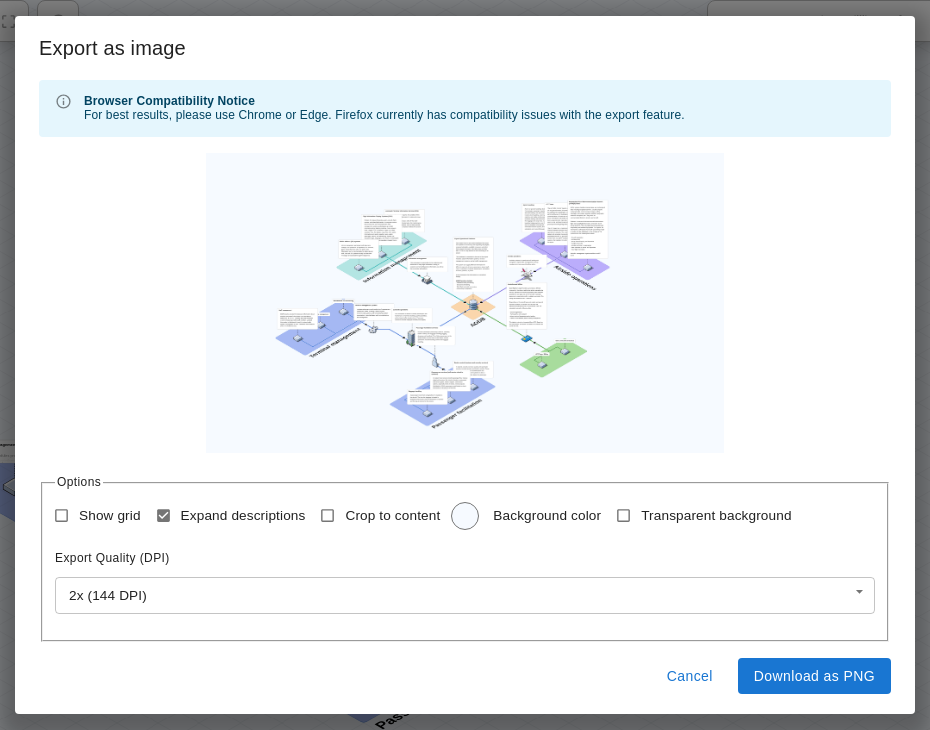
- Export to a PNG image with a preview: with or without the grid, with expanded descriptions, cropped to the content, with a chosen background colour or transparent, at a chosen resolution.
Screenshots
See what it looks like
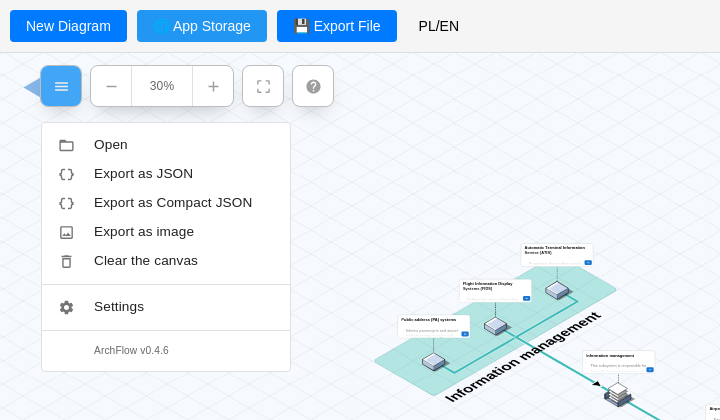
Click a screenshot to enlarge it. Better still, open the demo - it runs in the browser.
Getting started
Demo, Docker or desktop app
A ready Docker image is in the GitHub Container Registry - no need to clone the repository.
Nothing to install - the demo
Open the demo in your browser. It is the real ArchFlow, running entirely on your side. Diagrams stay only in the browser's storage, so keep them with the Export file button.
On your own server - Docker
mkdir archflow && cd archflow
curl -O https://raw.githubusercontent.com/cyryllo/ArchFlow/master/compose.yml
docker compose pull
docker compose up -d
Then open http://localhost:9500. The container starts in a few seconds, works without the internet and comes back up by itself after a restart.
Desktop app
An Electron version for Windows, macOS and Linux, with "Save as" and "Open" dialogs instead of file downloads. Build the installers from source:
git clone https://github.com/cyryllo/ArchFlow.git
cd ArchFlow
npm install
npm run build:desktop
The default port is 9500, so it does not clash with other services on 80 or 8080. Updating: docker compose pull && docker compose up -d - your diagrams stay. The full Docker guide, changing the port and configuration: the README.
Where it came from
A fork that started with a translation
ArchFlow stands on the shoulders of two projects: Isoflow by markmanx and FossFLOW by Stan Smith. It started with a Polish translation that went into FossFLOW. Then my fork gained, among other things, an Electron desktop app that saves diagrams to disk, a ready Docker image that works offline, a project website and a demo in the browser.
If ArchFlow is useful to you, have a look at the projects it grew from and support their authors too. Report bugs and ideas on GitHub.
Draw your network
Open the demo and start drawing right away, with nothing to install. When the diagrams start piling up, host ArchFlow yourself - with one command.
Screenshots: Cyryl Sochacki, from the ArchFlow repository (MIT). ArchFlow is a fork of FossFLOW by Stan Smith, which in turn builds on Isoflow by markmanx.Other projects

Vintyl
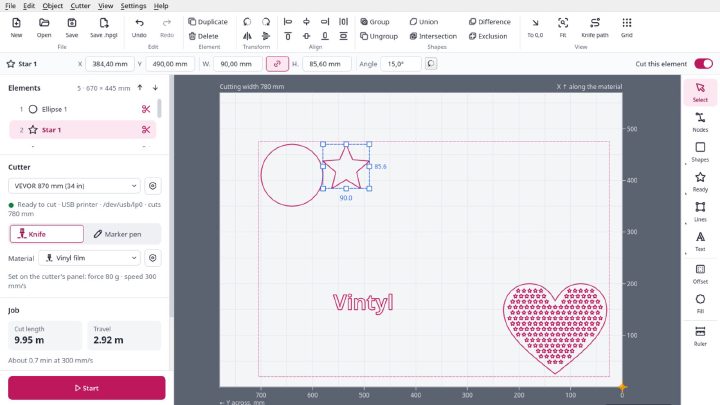
Free software for vinyl cutters on Linux: drawing, SVG and DXF files, laying out on the sheet and cutting straight from the window on VEVOR, Seiki and similar cutters. Knife compensation, materials, pen mode, designs in several colours. AppImage, GPL 3.

Millwise
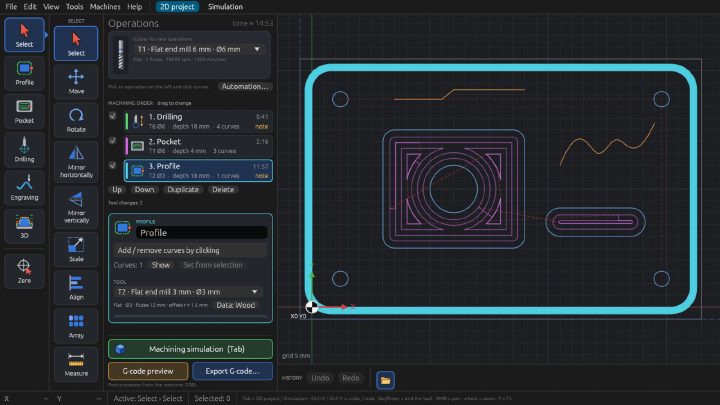
Free CAM software for 3-axis CNC mills: toolpaths and G-code for GRBL, FluidNC and LinuxCNC from DXF drawings and STL models. 2D and 3D machining, relief from a photo, simulation on the graphics card, a tool library. For Linux, an early test version.

Pakieciarka
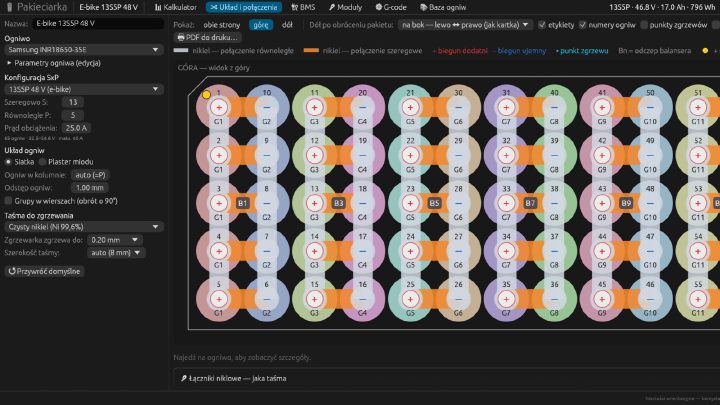
A configurator for battery packs built from 18650 and 21700 cells: a calculator, connection drawings, nickel strip and BMS selection, a heat map, a 1:1 PDF template and G-code for a CNC spot welder. Linux, macOS and the browser. Interface in Polish.