 Vintyl
Version 0.9 · free and open source (GPL 3)
Your vinyl cutter on Linux
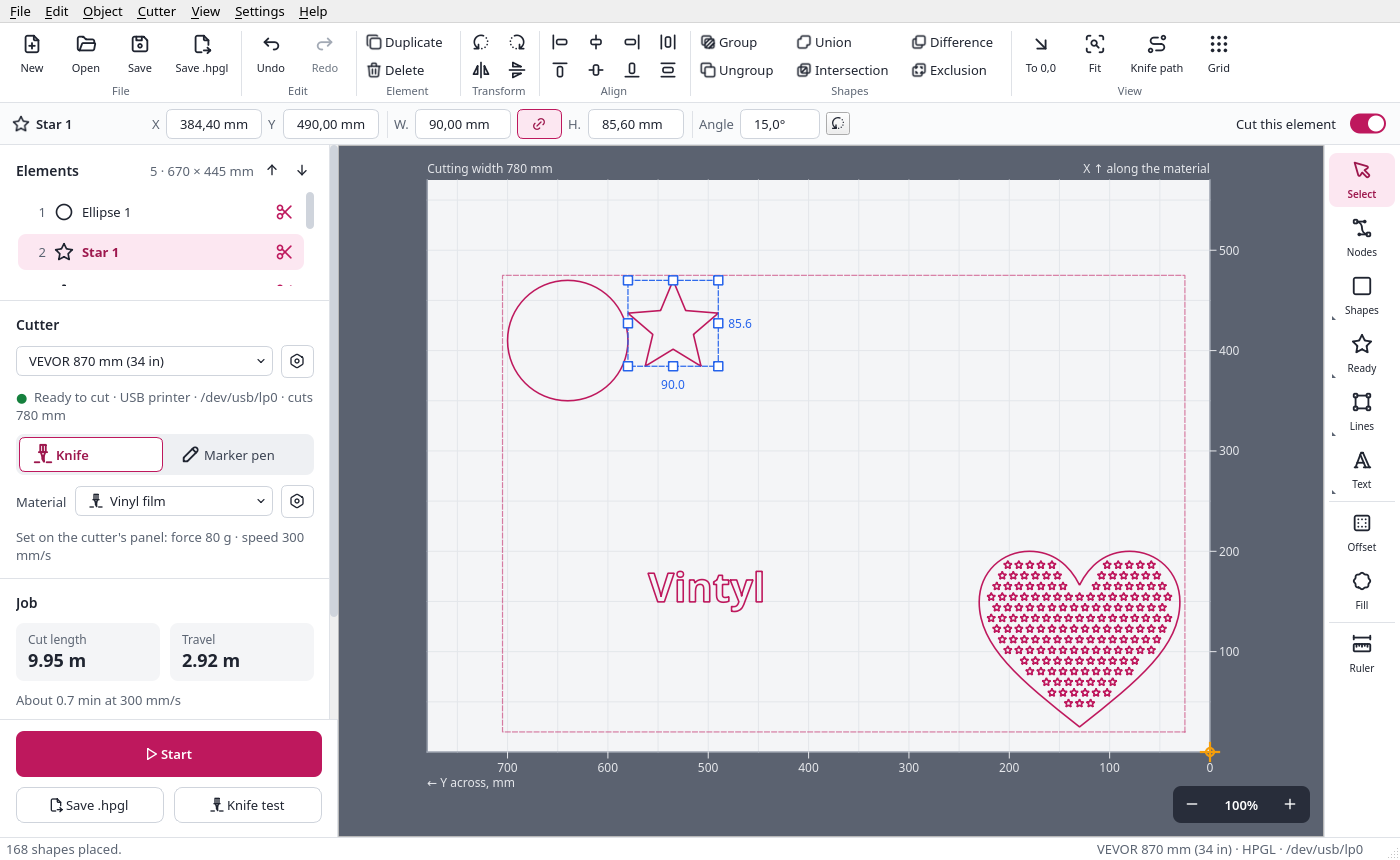
Vintyl runs the popular, inexpensive drag-knife cutters - VEVOR, Seiki and many models on the same control board - that come with Windows-only software. Draw or open a file, see it on the sheet as the material lies in the cutter, check the force and speed and cut straight from the window.
An AppImage for Linux, nothing to install. Tested on the VEVOR KI-375A and Seiki SK-870T cutters - it cuts cleanly.
- Current version
- 0.9.1
- Price
- free
- Licence
- open source, GPL 3
- Cutters
- VEVOR, Seiki and clones (HPGL, DMPL)
- Runs on
- Linux
What it does
From drawing to a cut sticker in one window
Inexpensive vinyl cutters are good machines, but their software only runs on Windows. Vintyl draws, lays out and cuts on Linux - and makes sure the knife, force and speed fit the material.
Cut straight from the window
Start and Stop in the program, with the sending progress. The cutter file (.hpgl) can also just be saved.
Knife compensation
The drag knife comes out sharp at the corners while arcs stay smooth. An overcut closes every closed shape.
Inside first
Inner shapes are cut before outer ones, so nothing falls out before its holes are cut.
Materials
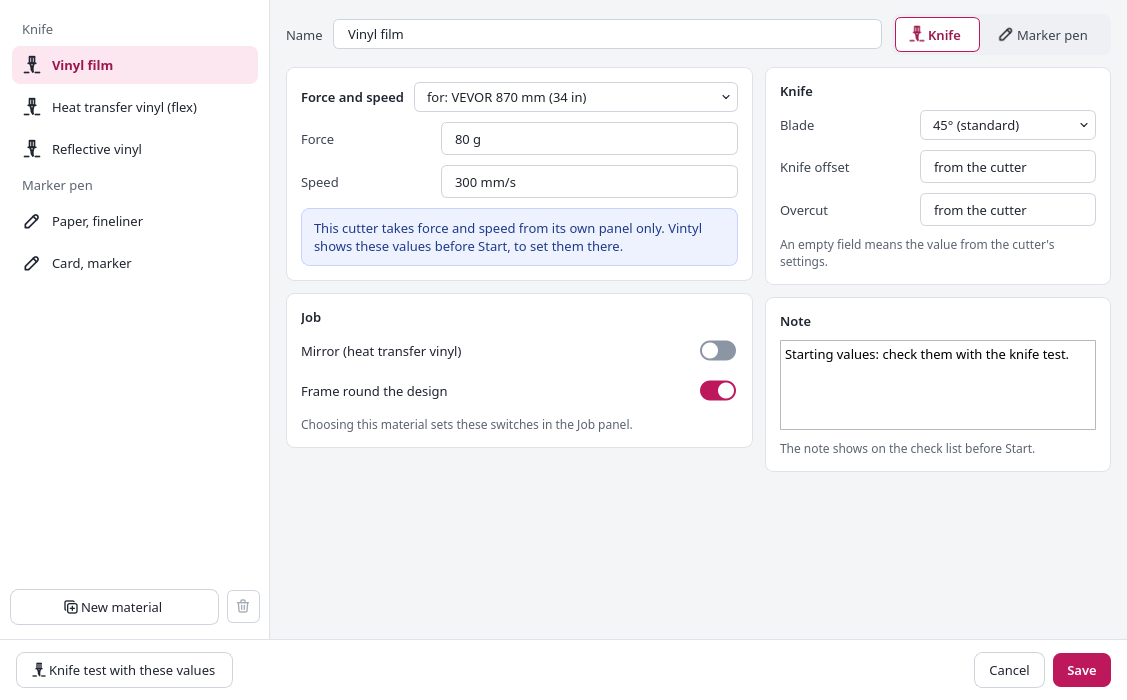
Vinyl film, heat transfer vinyl, reflective vinyl, paper with a fineliner and card with a marker - each with its force and speed for each cutter. Add your own.
Check list before Start
In large type: which force and speed to set on the cutter's panel and what to check. Nothing goes to the cutter until you confirm.
Knife test
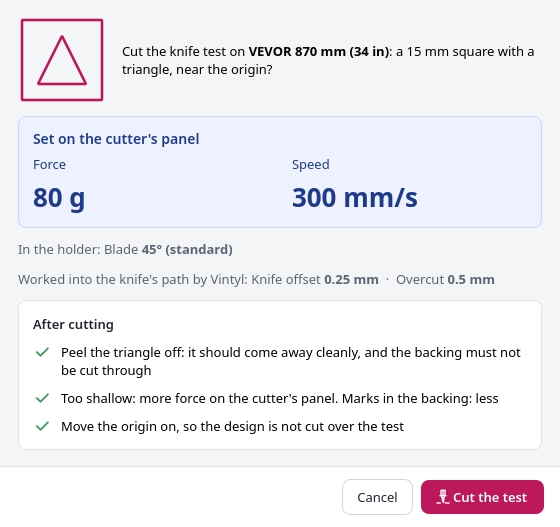
A square with a triangle near the origin - to find the force for a new material.
Weeding
A weeding frame around the design and weeding lines through the waste between the shapes.
Heat transfer vinyl for T-shirts
Mirror with one switch, while the screen shows the design as it will look on the shirt.
Drawing and shapes
Rectangle, ellipse, polygon, lines, pen, freehand and text in any font, also along a path. A star, a heart, a gear and other ready shapes, QR codes.
Shape operations
Union, difference, intersection, exclusion, offset and node editing. A pattern of small stars or hearts inside a shape.
Pen mode
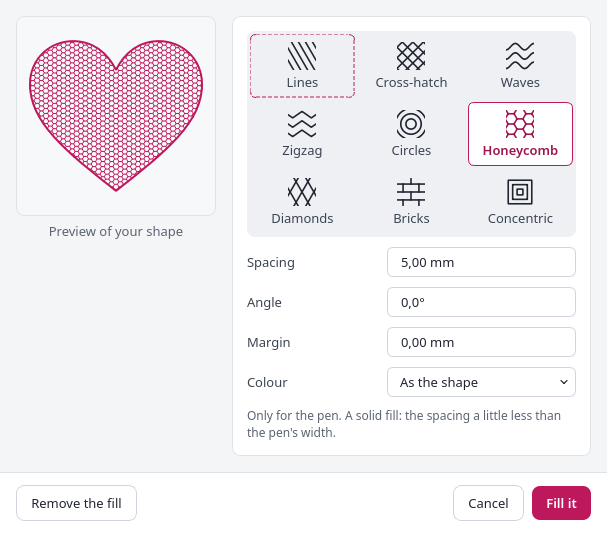
A pen in the holder instead of the knife: a stroke on, outside or inside the line, and nine fill patterns.
No wasted vinyl
To 0,0 moves the design to where the knife starts. Copies in rows and columns, strips for designs wider than the cutter.
SVG and DXF files
Opens SVG and DXF drawings, saves projects as .vintyl files, undoes everything.
Several colours
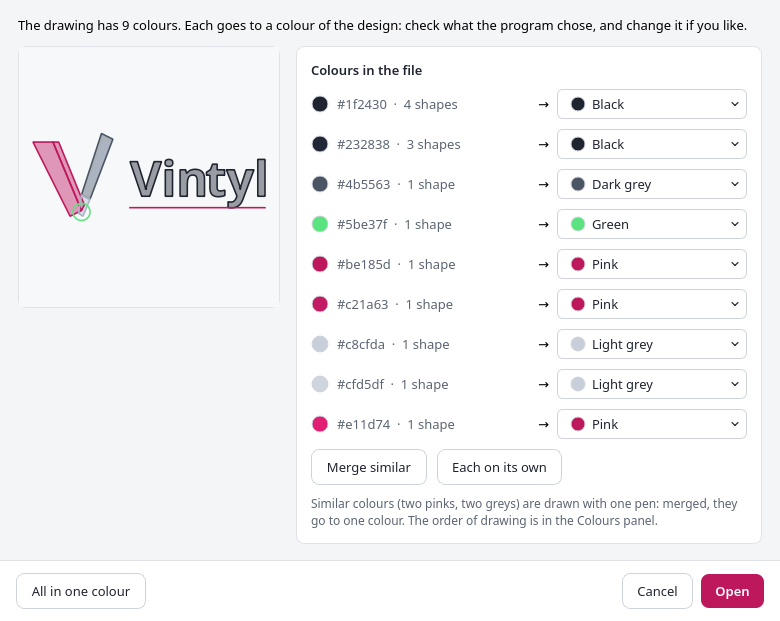
A design in several colours drawn with several pens or cut from several colours of vinyl, one colour after another, from the same origin.
Six languages, light and dark
English, Polish, German, Spanish, French and Brazilian Portuguese, a light or dark look. A user guide in English and Polish. Fits a 1366 × 768 screen.
Drag knife
Clean cuts, every shape closed
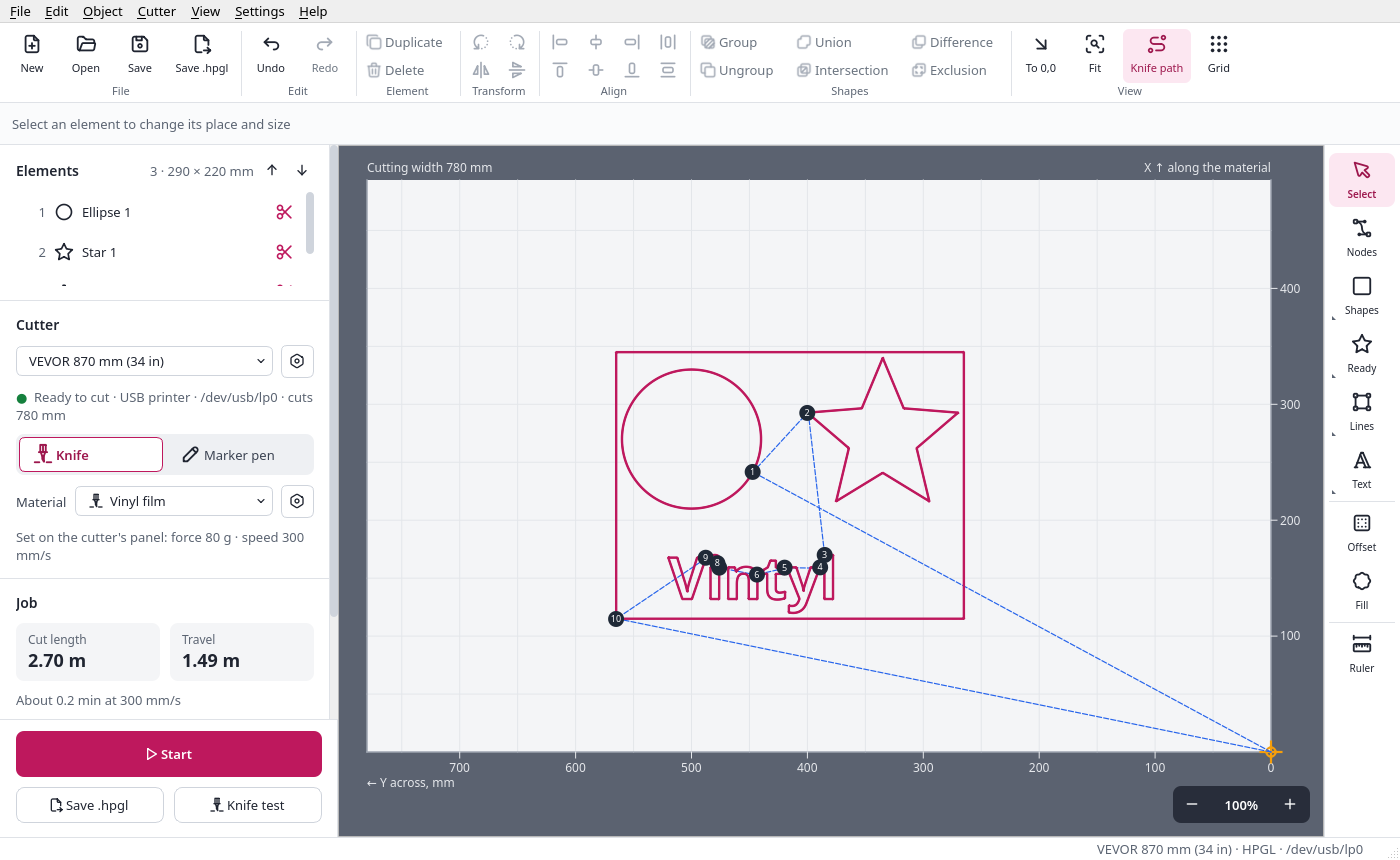
- Knife compensation at the corners - the blade dragged behind the holder comes out sharp in the corners, while smooth arcs stay smooth.
- Overcut - the knife goes a little further, so every closed shape closes and no letter stays stuck to the vinyl.
- Inside shapes first - nothing falls out before its holes are cut.
- A weeding frame around the design and weeding lines through the waste - the unwanted vinyl comes off more easily.
- On the sheet you see the knife path with the order of the cuts and the travel moves before anything goes to the cutter.
Materials
A check before every cut
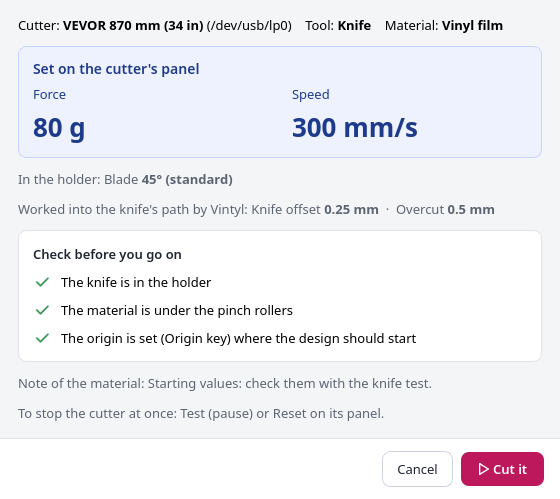
- A material remembers how to cut or draw it: the tool, the force and speed for each cutter, the blade, the knife offset, the overcut, the mirror and the frame.
- Built in: vinyl film, heat transfer vinyl for fabric, reflective vinyl, paper with a fineliner and card with a marker. Add your own.
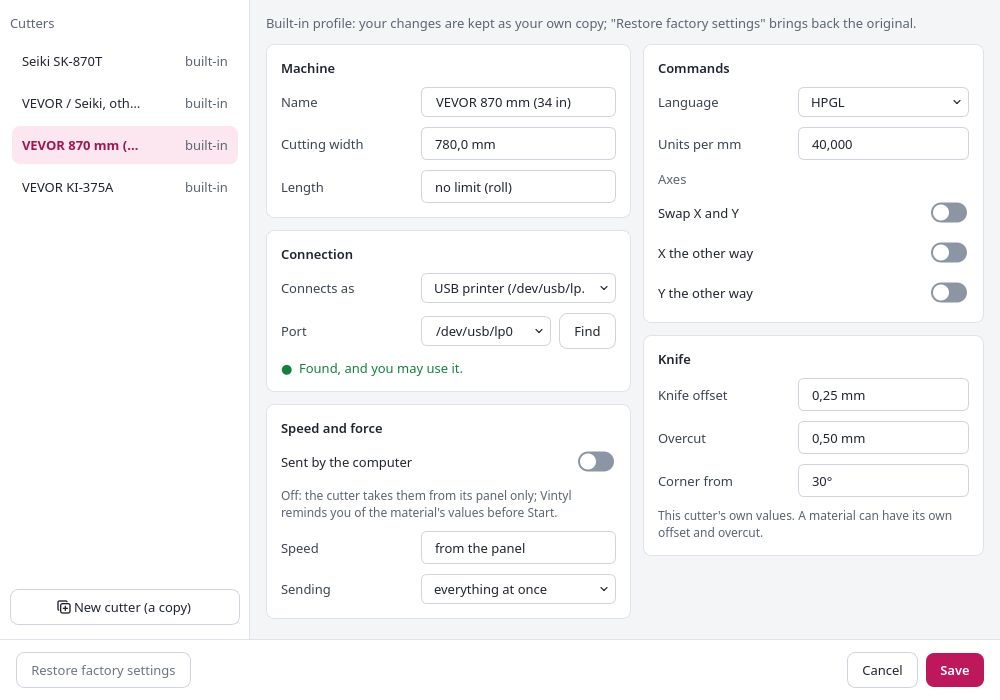
- These cutters only take force and speed from their own panel, so before Start Vintyl shows them in large type together with a list of things to check. With the mirror on, a yellow warning appears.
- The knife test - a square with a triangle near the origin - helps you find the force for a new vinyl.
Drawing and editing
Draw your design in Vintyl itself
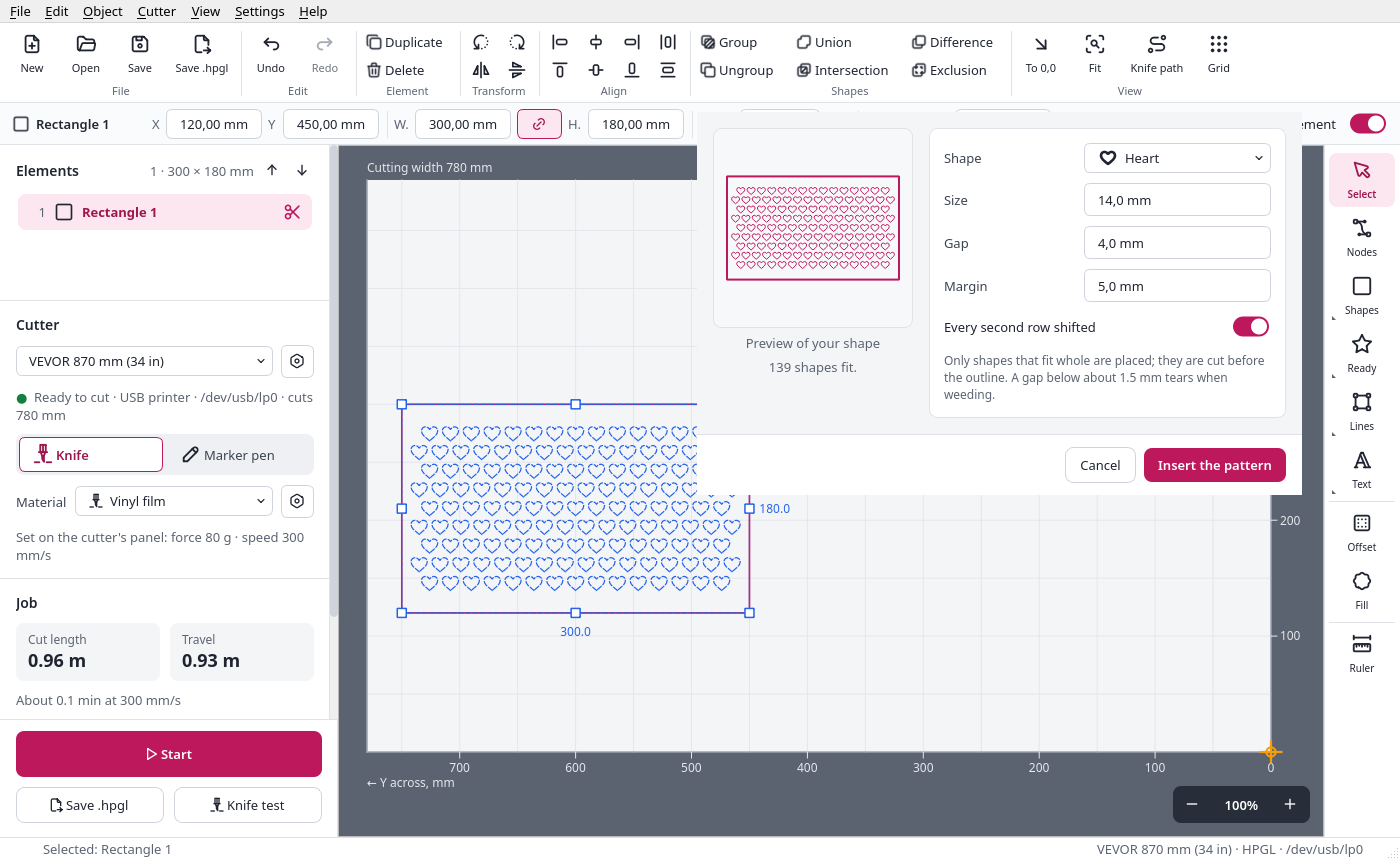
- Rectangle (also with rounded corners), ellipse, polygon, line, polyline, pen, freehand and text in any installed font, also along a path.
- Ready shapes - a star, a heart, a ring, an arrow, a gear and more - and QR codes.
- Union, difference, intersection, exclusion, offset and node editing.
- Pattern of shapes - fill a shape with rows of small stars or hearts, each one whole, with a live preview.
- Open SVG and DXF files and keep working on them in the program.
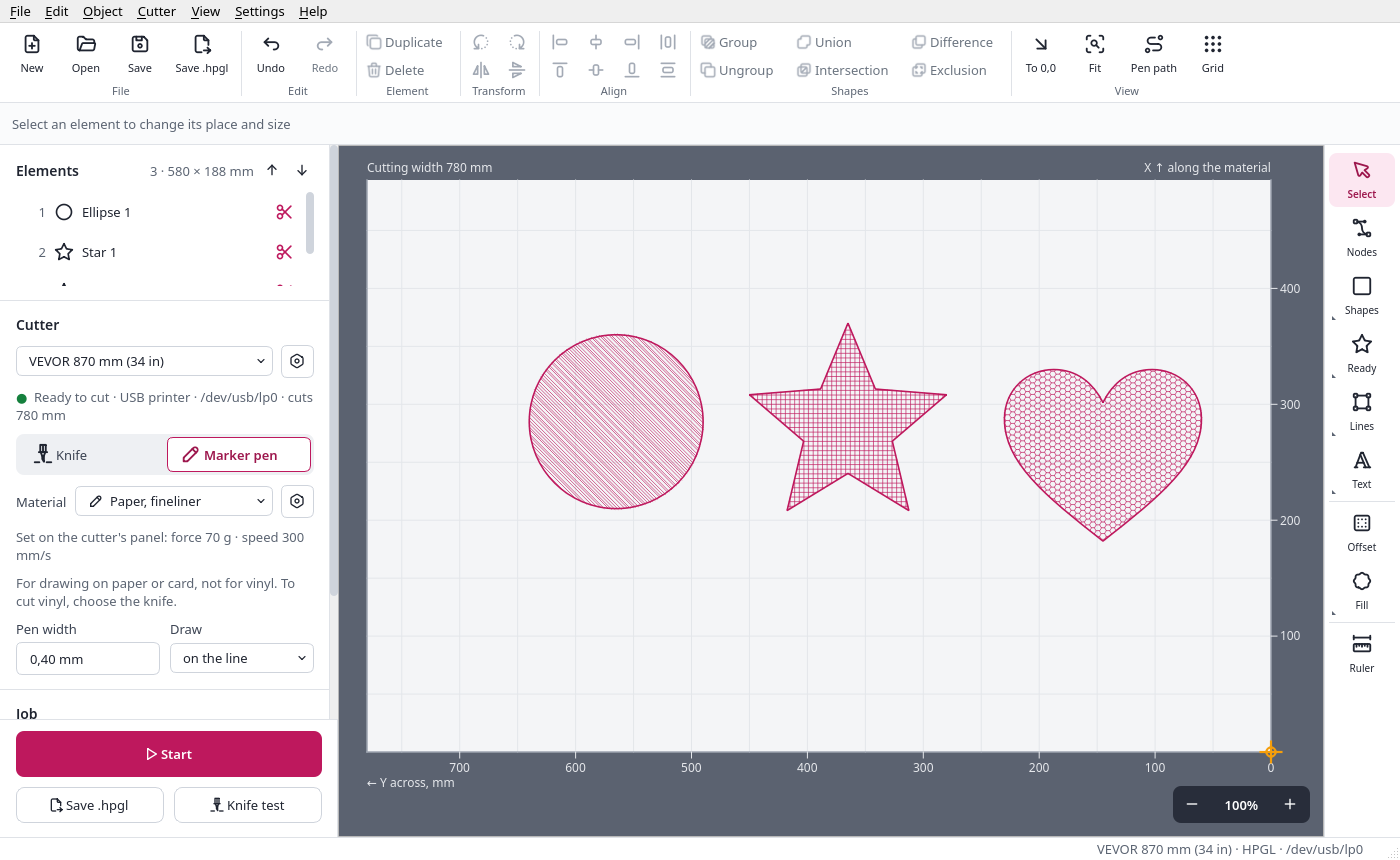
Drawing with a pen
Paper instead of vinyl
- Put a pen in the holder and switch the tool to pen - no knife offset and no overcut.
- A stroke on the line, outside or inside it, depending on the pen's width.
- Nine fill patterns: lines, cross-hatch, waves, zigzag, circles, honeycomb, diamonds, bricks and concentric.
- The built-in "paper with a fineliner" and "card with a marker" materials set everything with one choice.
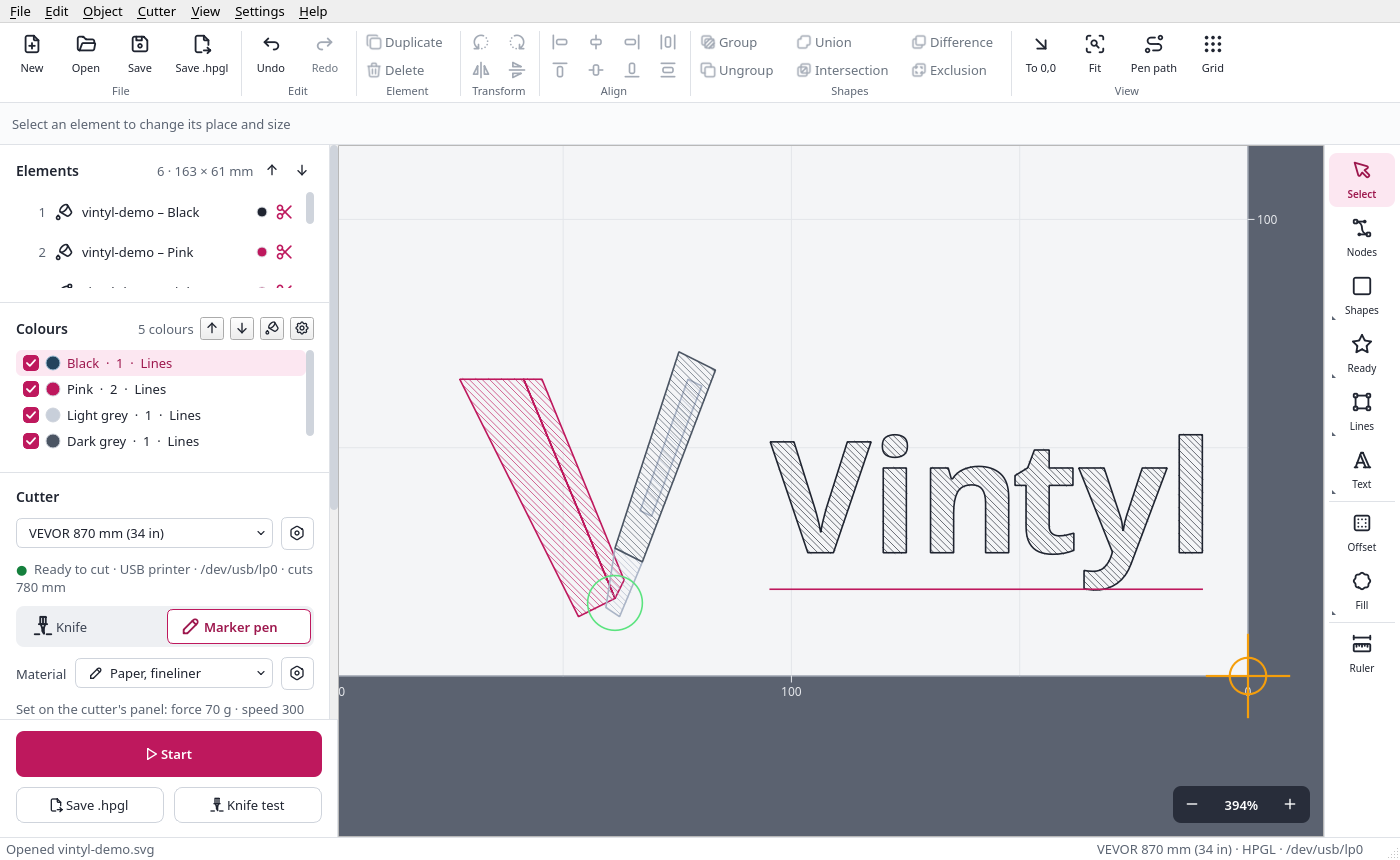
New in version 0.9
Several colours, one after another
- An SVG in several colours opens in its colours. Similar shades (two pinks, say) are merged so one pen draws them - a window shows what goes where, and you can change it.
- The Colours panel: the drawing order, leaving a colour out, its name, the pen width and a fill pattern for a whole colour. An outline and its fill can be two pens - a black outline and a pink fill, for example.
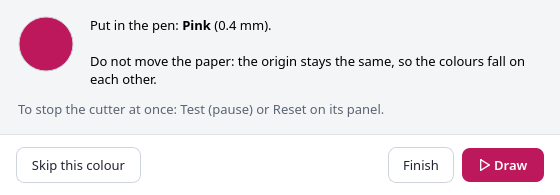
- Start goes colour by colour, with a pause to put in the next pen or load the next colour of vinyl. The origin stays the same, so the colours land exactly on each other.
- Save .hpgl writes a separate file for each colour.
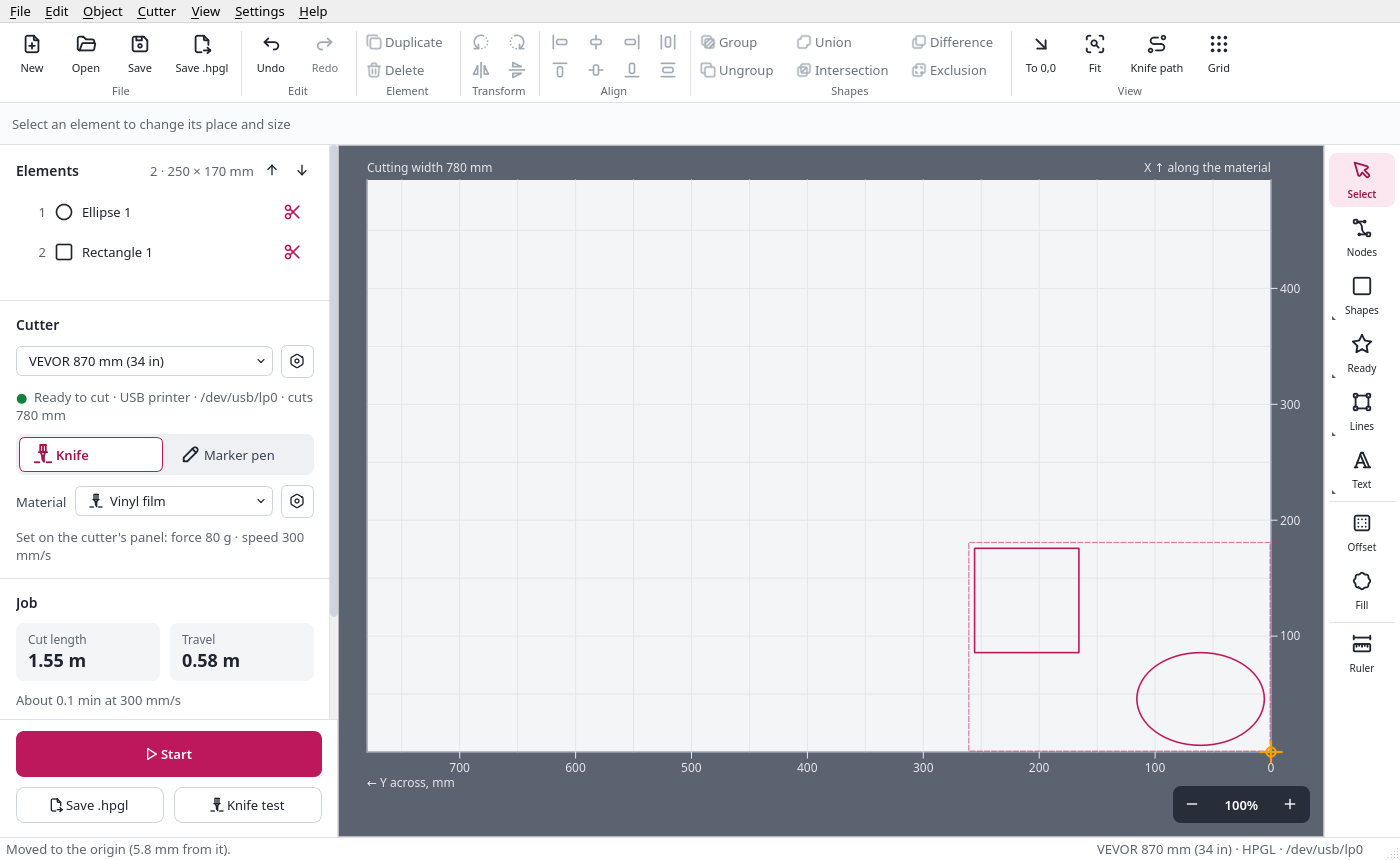
Layout
No wasted vinyl
- The sheet is shown as the material lies in the cutter - the cutting width across, with the length growing with the design.
- Move, resize with handles, rotate by any angle, mirror, align, distribute and group.
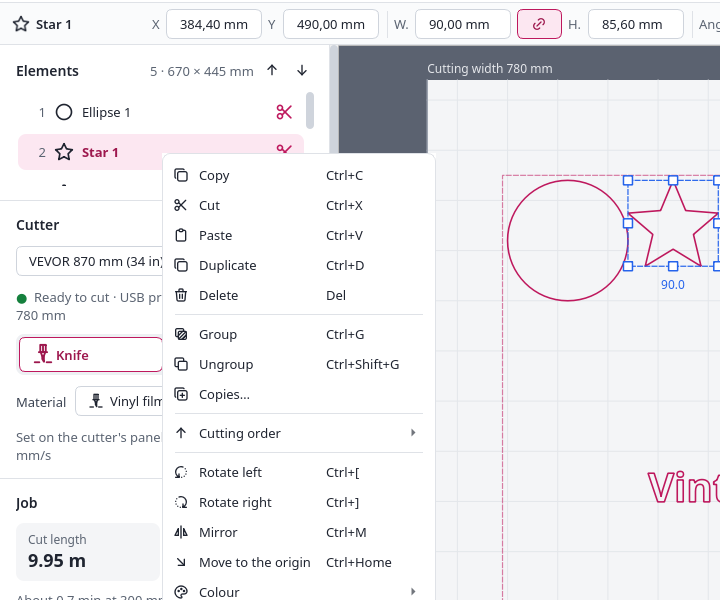
- To 0,0 (Ctrl+Home) moves the selection or the whole design up to where the knife starts, with room for the frame.
- Copies in rows and columns - as many stickers as fit in the width, for example.
- Strips for designs wider than the cutter, overlapping, cut one after another.
Cutters
Which cutters it works with
| Cutter | Connects as | Status |
|---|---|---|
| VEVOR KI-375A (cuts 285 mm) | USB printer, HPGL | tested, cuts cleanly |
| Seiki SK-870T (cuts 780 mm) | USB printer, HPGL | tested, cuts cleanly |
| VEVOR 870 mm (cuts 780 mm) | USB printer, HPGL | ready profile (the same board as above) |
| other VEVOR, Seiki and clones on the same board | USB printer, HPGL | the "VEVOR / Seiki, other model" profile - just set the cutting width |
| other drag-knife cutters speaking HPGL or DMPL | USB printer or serial port | your own profile |
So far Vintyl has been used with these cutters as a USB printer. The second mode, Virtual COM (a serial port, a different driver), is prepared in the profiles but has not been tested on a cutter yet. Force and speed are set on the cutter's panel - Vintyl shows the material's values before Start.
Screenshots
See what it looks like
Click a screenshot to enlarge it.
Getting started
Download, connect, cut
The releases page has an AppImage - one file with everything inside, for most 64-bit Linux systems from recent years.
Linux - AppImage
Download Vintyl-…-x86_64.AppImage from the releases page and run it:
chmod +x Vintyl-*-x86_64.AppImage
./Vintyl-*-x86_64.AppImage
The first time it runs, Vintyl offers to add itself to the applications menu.
Access to the cutter
On Linux, only members of the lp group may send to a USB printer. Join it once and log in again:
sudo usermod -aG lp $USER
Under the chosen port Vintyl tells you what is missing, and Help → Access to the cutter shows the commands to copy.
From source
You need Python 3.12 or newer:
git clone https://github.com/cyryllo/vintyl.git
cd vintyl
python3 -m venv .venv
.venv/bin/pip install -e '.[gui]'
.venv/bin/python -m vintyl
Everything step by step: the user guide. What changes in each version: the CHANGELOG.
Project status
Ready for work, close to version 1.0
Vintyl 0.8 (November 2026) brought a new look for the whole window and materials, and 0.9 designs in several colours and four new languages. The program is tested and cuts cleanly on the VEVOR KI-375A and Seiki SK-870T, and it should work the same on similar cutters and clones with the same control board. Small glitches may still turn up in the window.
Your cutter is not on the list? In Vintyl choose Help → Diagnostic report → Report my cutter and describe how it went. Report bugs and ideas on GitHub - in English or Polish.
Got a vinyl cutter? Try Vintyl
Download the AppImage, choose your cutter and material, cut a knife test and go. If your cutter is not on the list, let me know how it went - issues are welcome in English or Polish.
Screenshots: Cyryl Sochacki, from the Vintyl repository (GPL 3). The drawing and editing code comes from Kerfly, the DXF reader from K40 Whisperer (Scorch). Knife compensation and the cutter commands follow the example of Inkcut, without copying its code.Other projects

Millwise
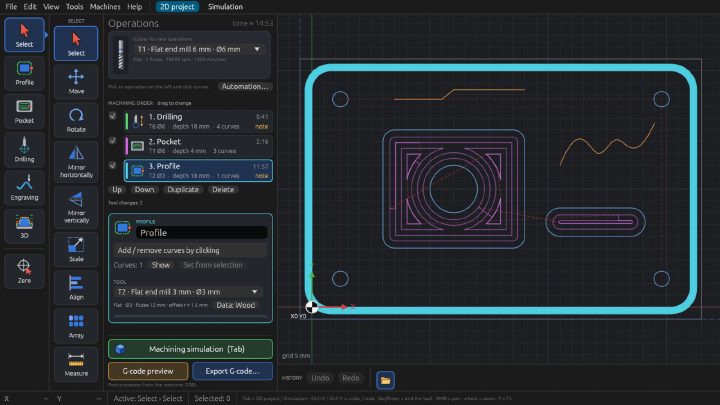
Free CAM software for 3-axis CNC mills: toolpaths and G-code for GRBL, FluidNC and LinuxCNC from DXF drawings and STL models. 2D and 3D machining, relief from a photo, simulation on the graphics card, a tool library. For Linux, an early test version.

Pakieciarka
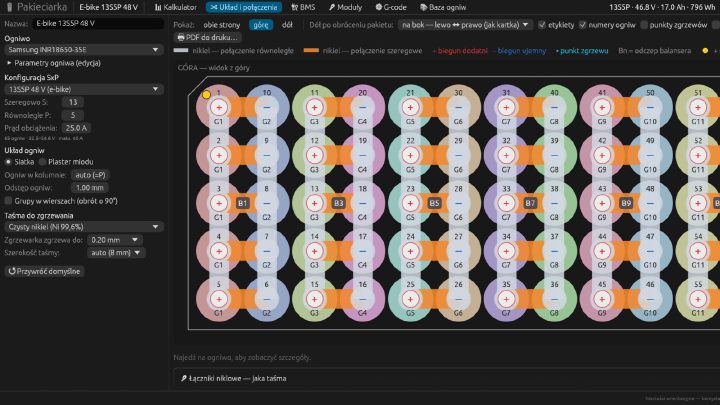
A configurator for battery packs built from 18650 and 21700 cells: a calculator, connection drawings, nickel strip and BMS selection, a heat map, a 1:1 PDF template and G-code for a CNC spot welder. Linux, macOS and the browser. Interface in Polish.
PiSafe GUI
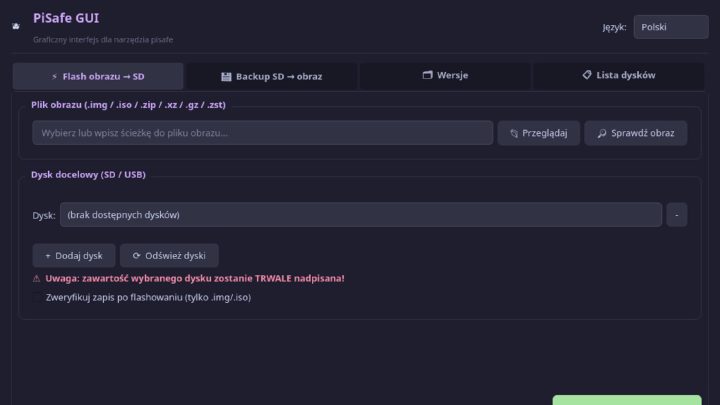
A desktop program for writing system images to SD cards and USB sticks and backing cards up - for the Raspberry Pi and other boards. Protection for system disks, checksums, several cards at once.