 Pakieciarka
Version 0.1.9 · free and open source (GPL 3)
An 18650 pack - worked out before you weld it
Pakieciarka (Polish for "pack maker") is a configurator for battery packs made of 18650 and 21700 cells. Choose a cell and a layout, such as 13S5P, and the program works out the voltages, currents and weight, picks the nickel strip, BMS and fuse, draws the connections of every cell, prints a welding template and writes G-code for a CNC spot welder.
For Linux (AppImage, .deb) and macOS (.dmg), and as a web page in the browser. The interface and the guide are in Polish for now. The results are approximate - you build your battery at your own risk.
- Current version
- 0.1.9
- Price
- free
- Licence
- open source, GPL 3
- Runs on
- Linux, macOS and the browser
- Cells
- 18650 and 21700, 20 models built in + your own
- Language
- Polish
What it does
From the calculator to the welder's program
A pack for a drill, a scooter, an e-bike or a home energy store starts with a few questions: how many cells, how to connect them, which strip, which BMS. Pakieciarka answers them in one window, and gives you a drawing for the workshop at the end.
Calculator
Voltages, capacity, energy, currents and resistance. Voltage drop, losses and run time under load, dimensions and weight, warnings.
Ready-made packs
From 1S2P to 20S6P: tools, scooters, e-bikes, energy storage. Or any SxP layout of your own.
Layout and connections
A grid or honeycomb, the polarity of every cell, strips on the top and the bottom, balance taps with their voltages and cell numbers.
Nickel strip
Which thickness and how many layers of strip for the series and parallel joints and the terminals - taking the material, width and the welder's limits into account.
BMS
A list of matching BMS boards (Daly, JBD, JK and your own), a wiring diagram with a fuse, a pin table for the balance plug and the connection order.
Heat map
How current flows through the pack: the hottest nickel strips, overloaded pieces of strip and the cells that work harder than the others.
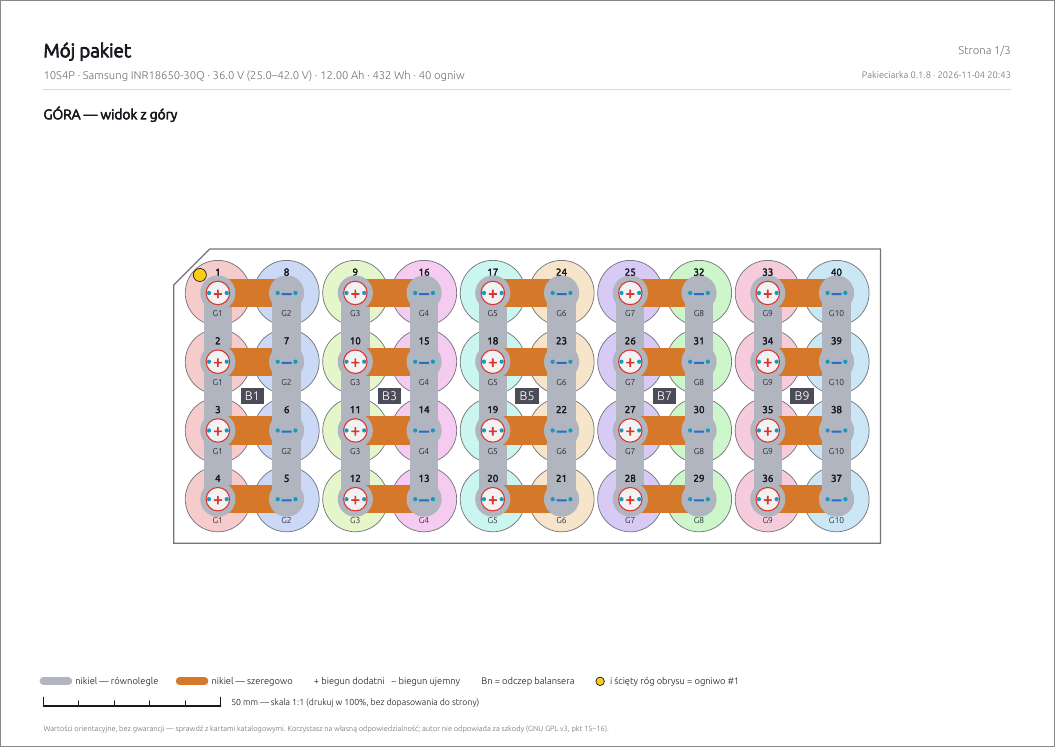
1:1 PDF template
The top and bottom of the pack at 1:1 scale with a check ruler, a tap table and a checklist of strips for welding by hand.
Large packs from modules
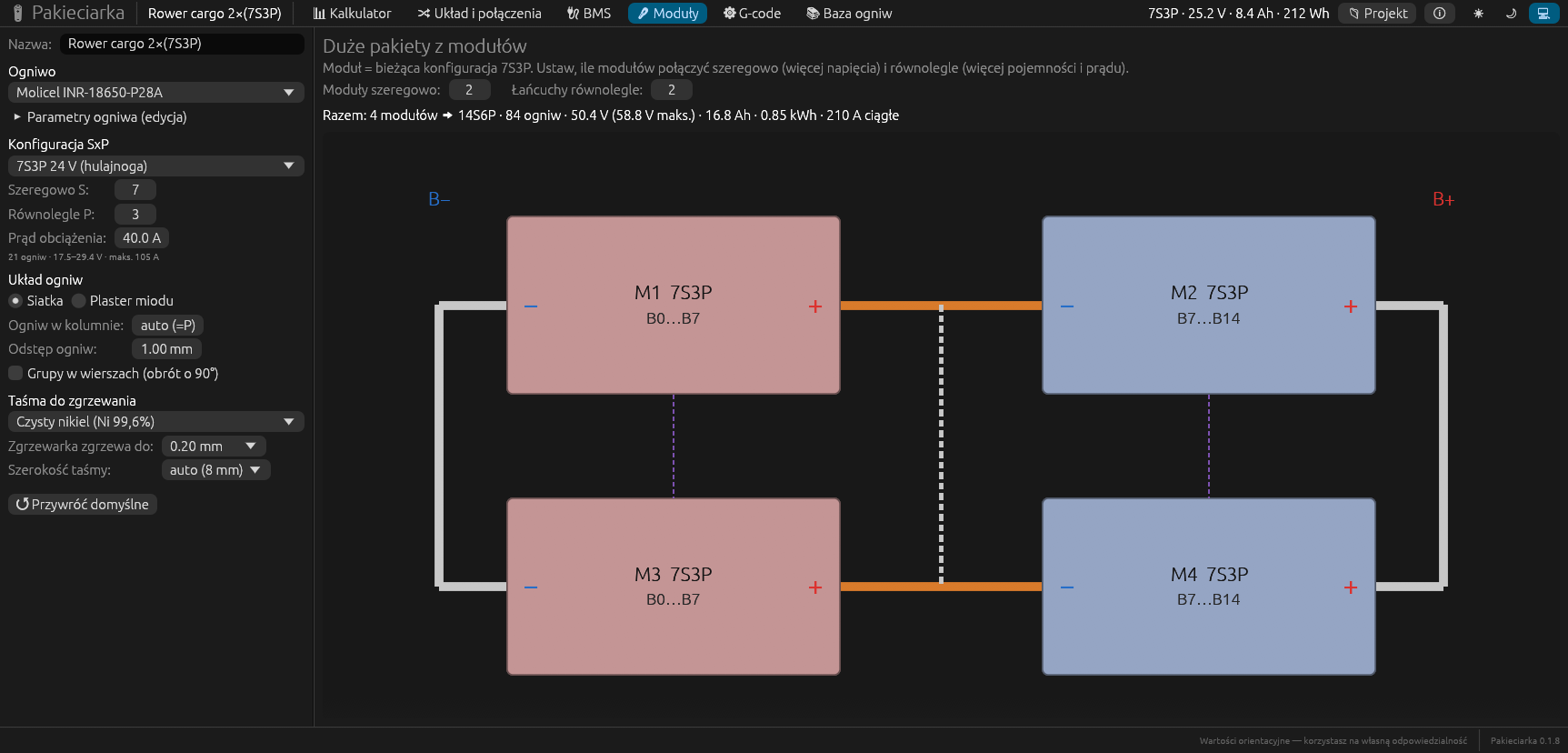
Modules joined in series and in parallel: a diagram, the balance numbering of the whole pack and step-by-step assembly instructions.
G-code for the welder
A program for a CNC spot welder with FluidNC or GRBL: weld points, a Z axis with pressure, the bottom side after flipping, a dry-run mode.
Cell database
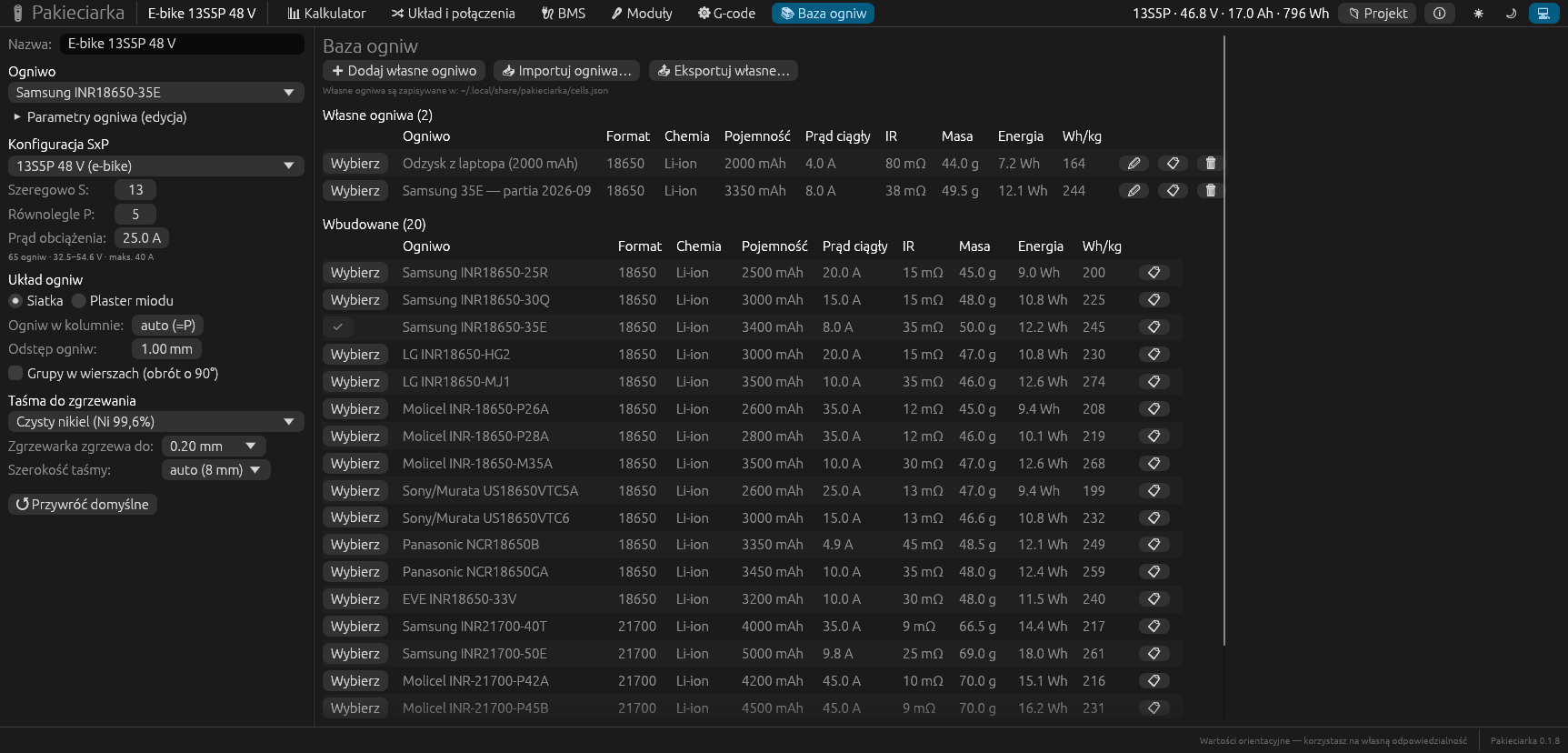
20 popular models with capacity, current, resistance and weight. Add, change, import and export your own cells.
My projects
Save with one shortcut, a project library, duplicating, and import and export to a JSON file.
On the desktop and in the browser
One program written in Rust runs on Linux, on macOS and as a web page. In the browser everything is computed on your side, not on a server.
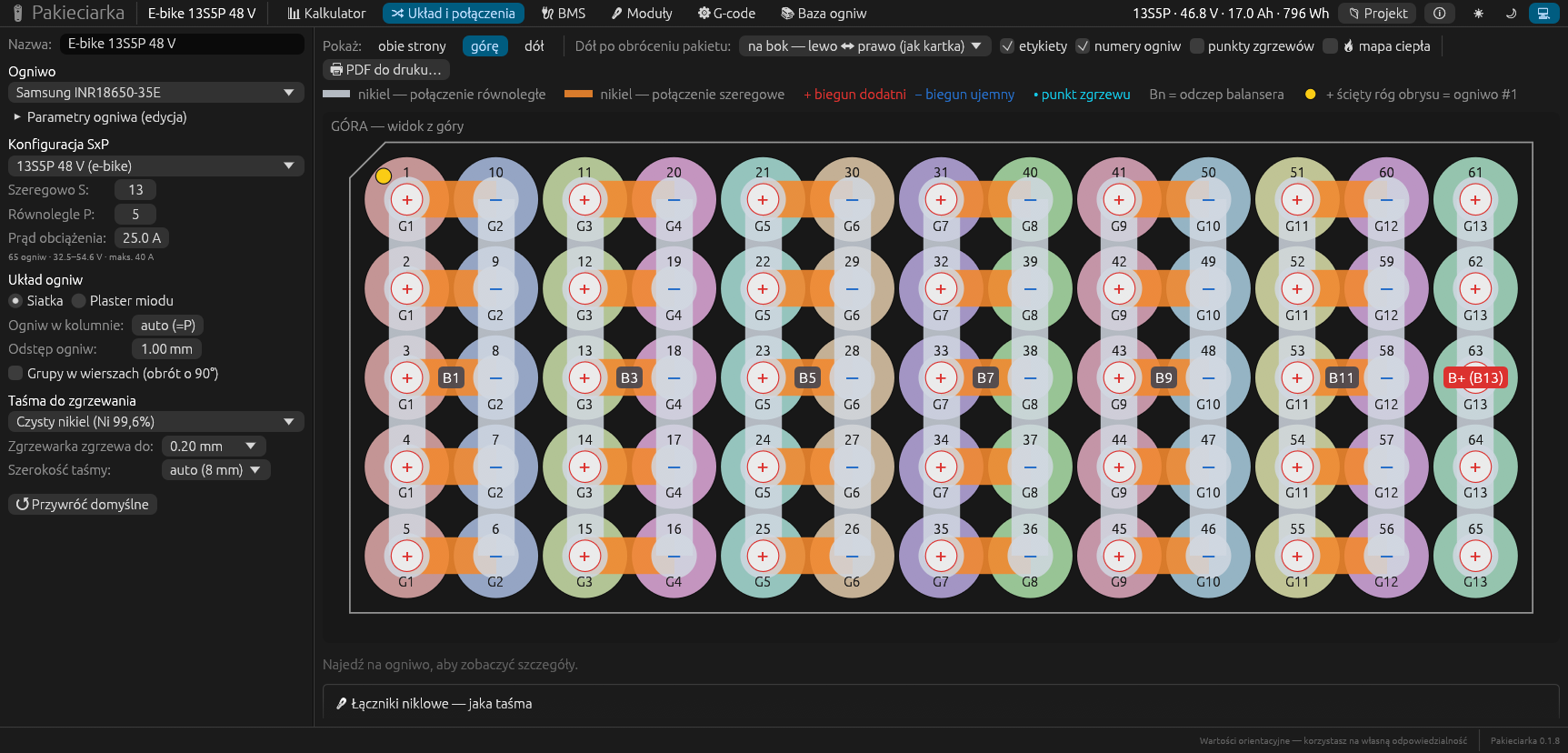
Layout and connections
See every cell and every strip
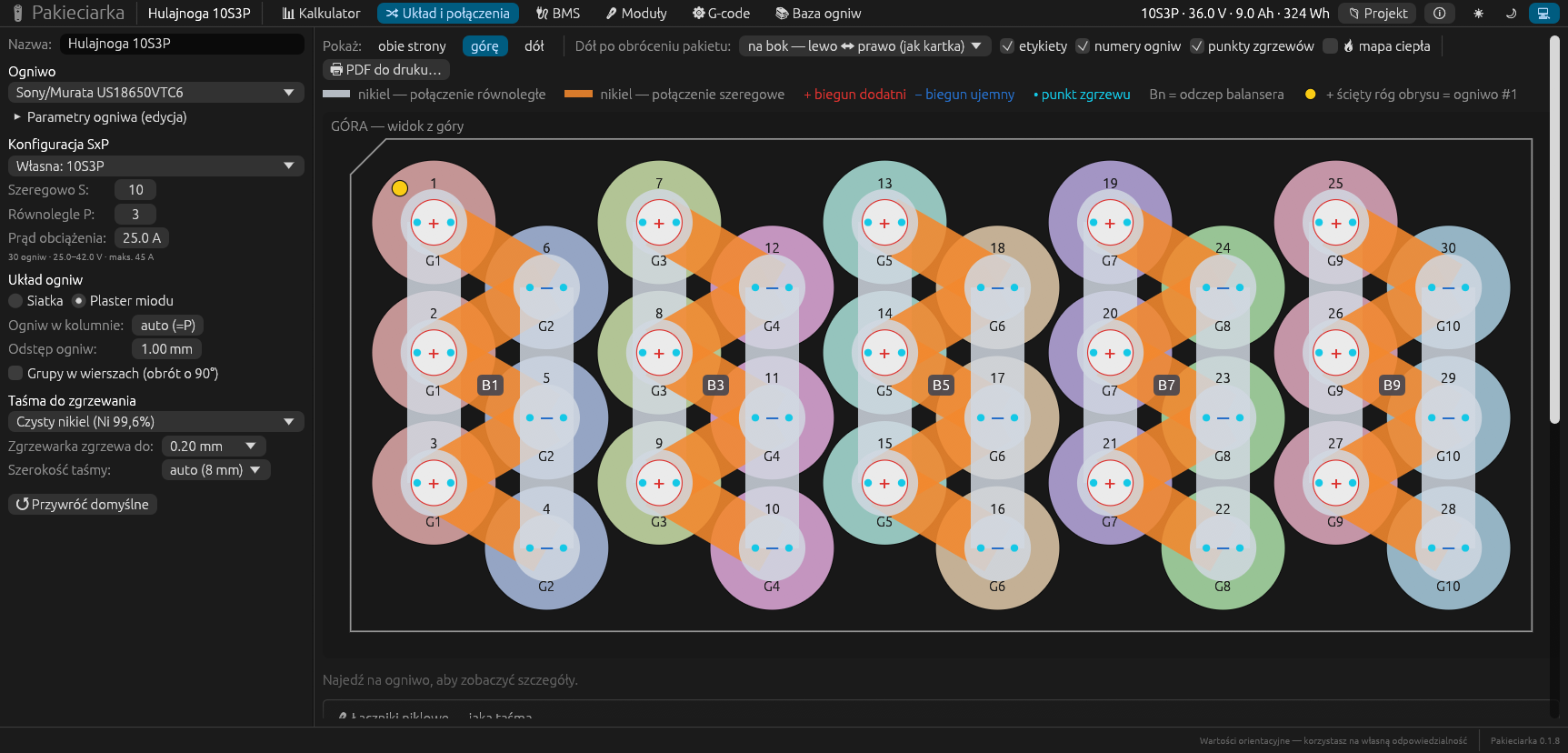
- Cells in a grid or a honeycomb, groups snaking back and forth.
- Each cell shows plus or minus, its cell number and group number, and cell no. 1 has a marker - like "pin 1" on a chip.
- Parallel and series strips on the top and the bottom, in different colours.
- Balance taps B0…BS with their voltages, at the points where you solder the wires.
- The bottom view after turning the pack over sideways or towards you - exactly as you will see it on the bench.
Calculator
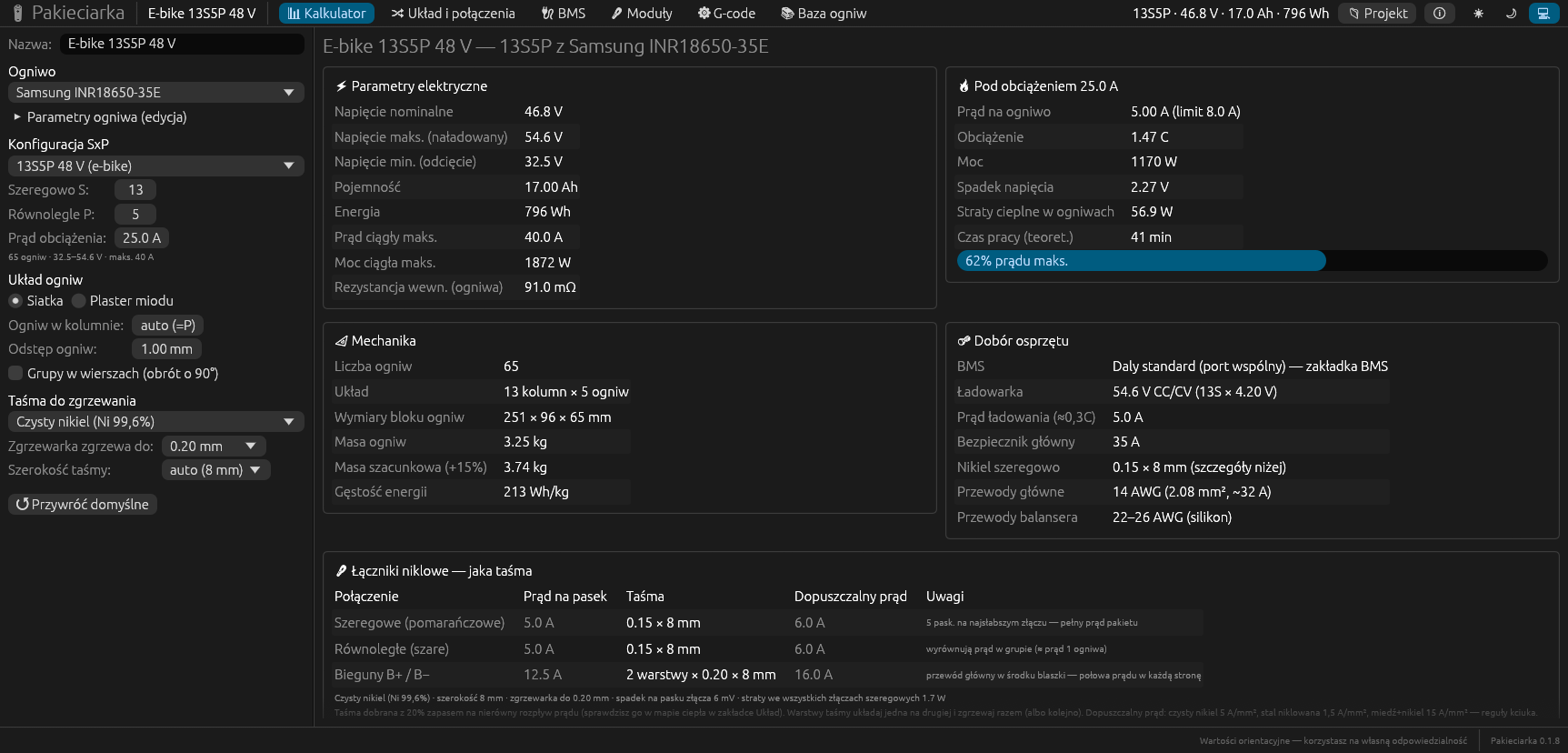
All the numbers on one screen
As soon as you choose a cell and a layout, you see:
- the nominal, maximum and minimum voltage, capacity, energy and maximum current,
- work under load - the current per cell, voltage drop, heat losses and run time,
- the dimensions and weight of the cell block and its energy density,
- the choice of parts - BMS, charger, main fuse, wires and nickel strip with the allowed current for each kind of joint.
Heat map
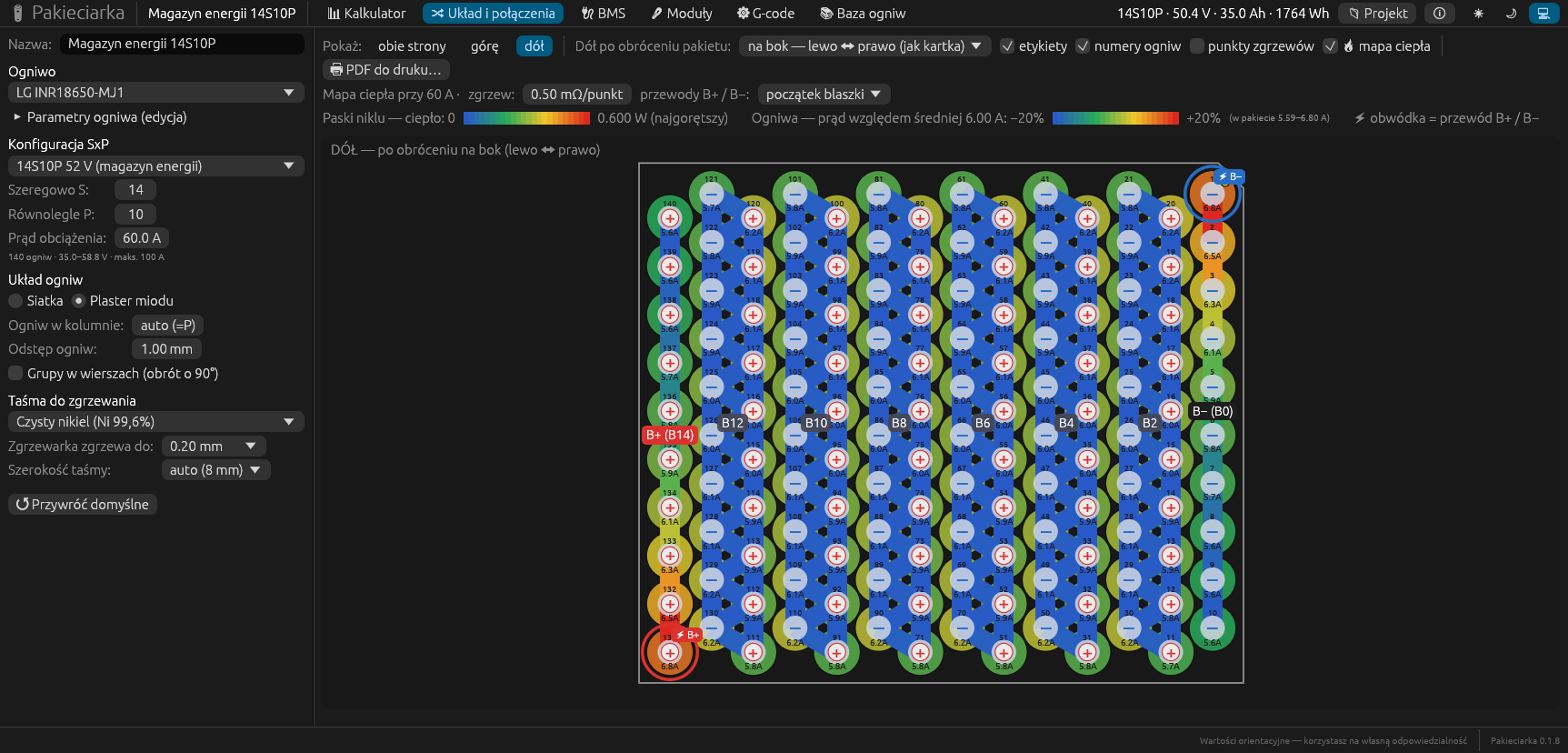
Where the pack will get hot
The heat map works out how current flows through the whole pack: the resistance of every nickel strip, weld and cell, and where the main wire is soldered.
- Nickel strips are coloured from blue to red - from the coolest to the hottest.
- Cells are coloured by their current compared with the group average.
- Under the drawing: the hottest strips with their current and the strip's allowed current - red means overload - and tips on what to improve.
An example from the guide: in a 14S10P pack with the wires at the start of the strips, the first strip of the terminal carries over 50 A. With the wires in the middle of the strips, the load is much more even.
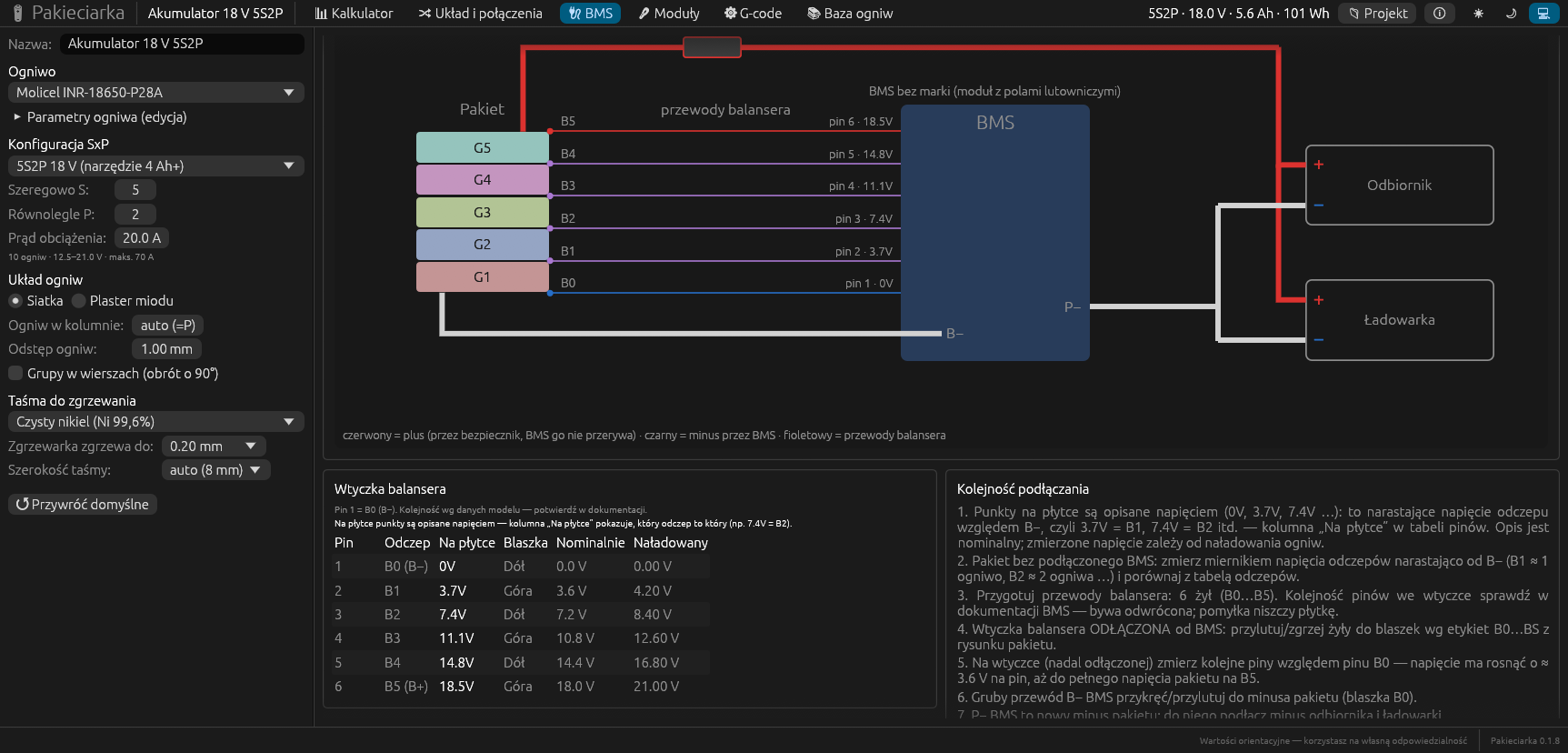
BMS
The balance lead right the first time
A mistake with the balance plug can destroy a BMS board. Pakieciarka shows:
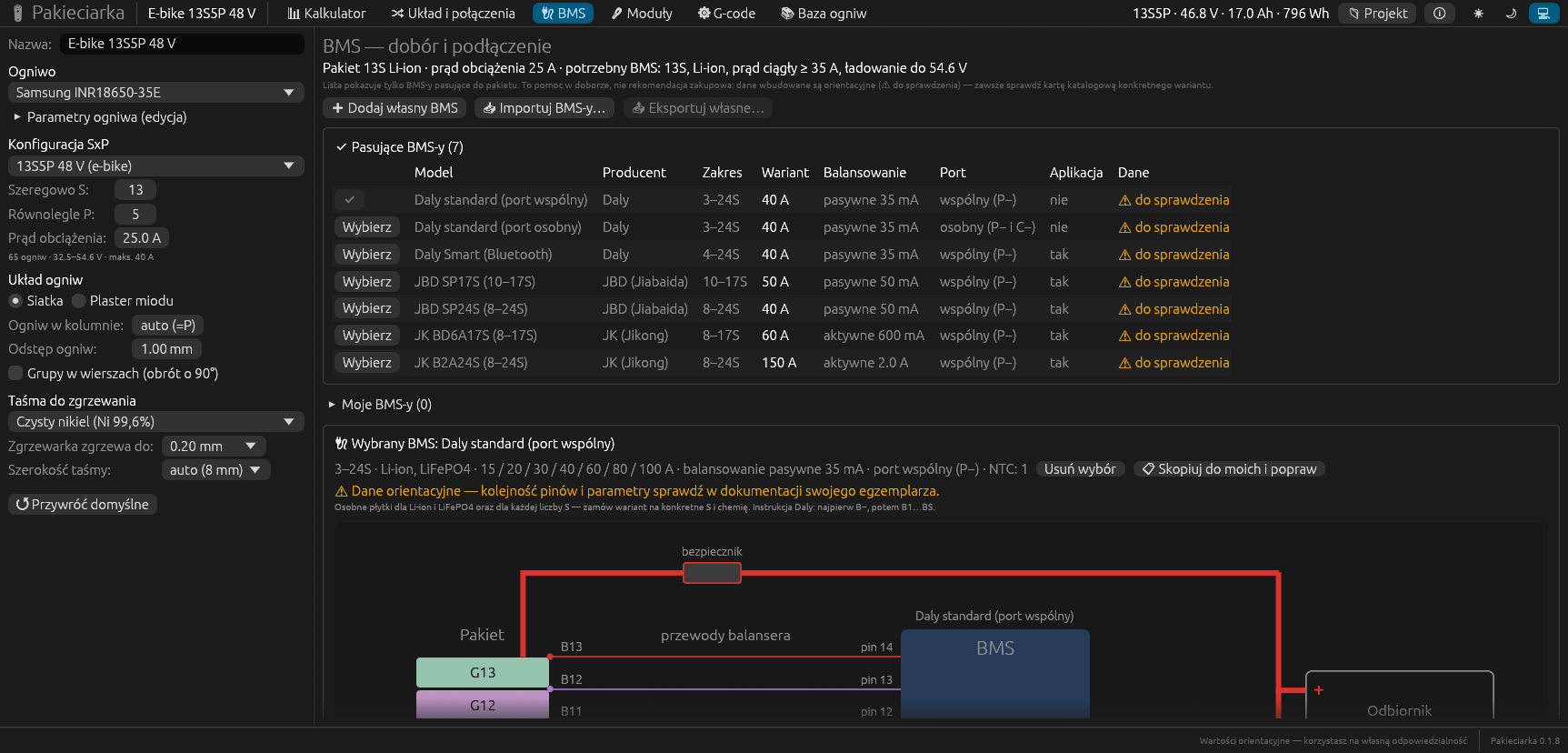
- a list of BMS boards that fit the pack - Daly, JBD, JK or your own,
- a wiring diagram of B−, P− and C− with a fuse and a temperature sensor,
- a pin table for the plug with the nominal and fully charged voltage on every pin,
- the connection order step by step - with voltage checks before you plug it in.
The table and the diagram also go into the PDF.
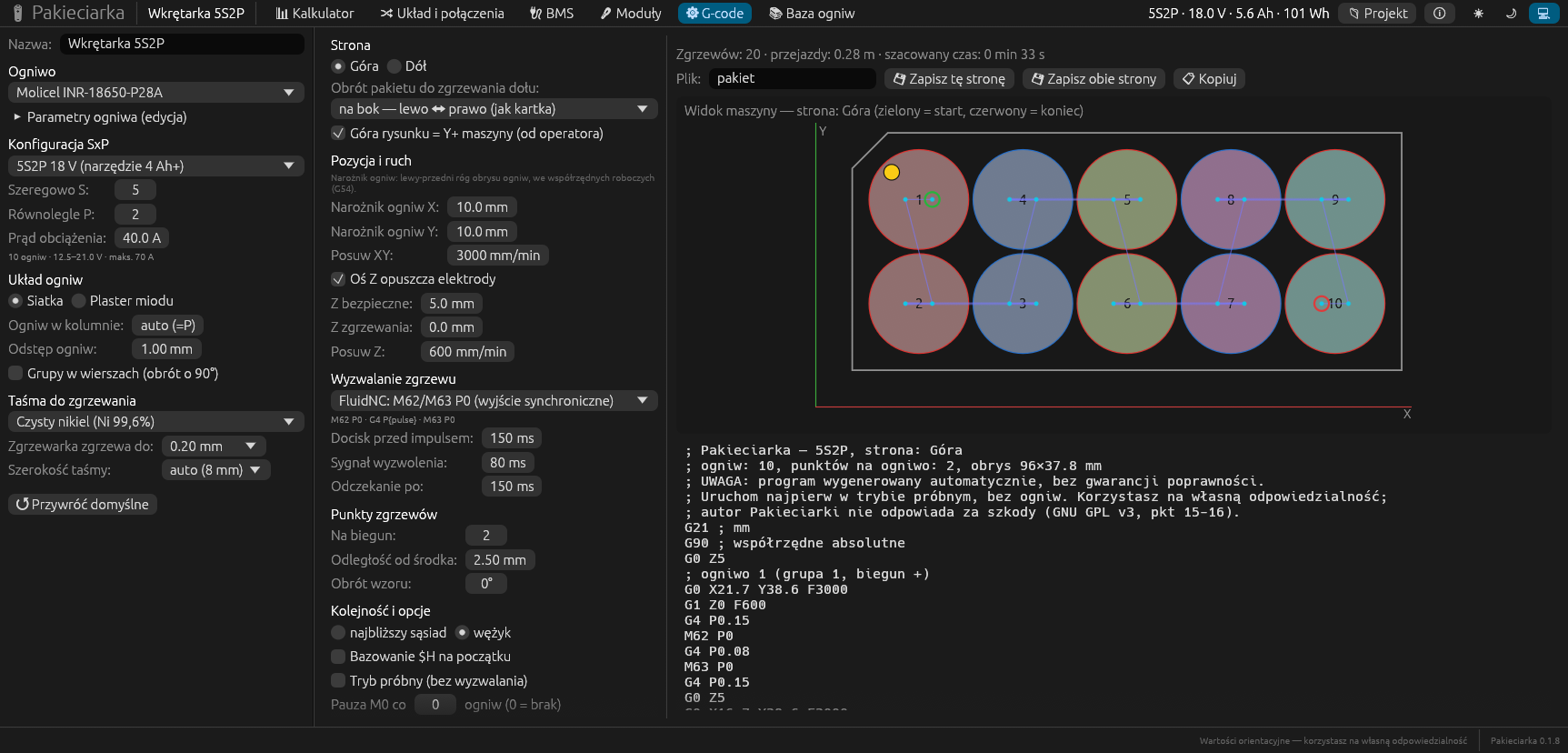
CNC spot welder
A program for the welder straight from the drawing
Have a spot welder on a CNC frame? Pakieciarka turns the drawing of the pack into a program:
- weld triggering from ready templates for FluidNC and GRBL, or your own,
- a Z axis with pressure and times before and after the pulse,
- weld points per terminal, their distance from the centre and the rotation of the pattern,
- the bottom side after flipping the pack, "nearest neighbour" or snake order,
- a dry-run mode without triggering, and pauses every given number of cells.
The preview shows the head's path, and the summary the number of welds and the estimated time.
Screenshots
See every screen
Click a screenshot to enlarge it. The interface is in Polish.
Important
The program helps, but it is no substitute for common sense
Lithium cells shorted by a piece of nickel or a tool can catch fire, and a voltage above 60 V DC is dangerous to life. Pakieciarka's results come from simplified models and rules of thumb - check them against the datasheets of the cells, the BMS and the strip.
Work on a non-flammable surface, balance the cell voltages before connecting them in parallel, measure the taps before connecting the BMS, and run the G-code first in dry-run mode, without cells. The program is free and comes without any warranty - you use it at your own risk.
Installation
Download and run
Ready packages are on the releases page. On the first start the program shows a disclaimer to accept.
Linux - AppImage
One file that runs without installing, on any distribution. Download Pakieciarka-…-x86_64.AppImage and run it:
chmod +x Pakieciarka-*-x86_64.AppImage
./Pakieciarka-*-x86_64.AppImage
Debian 13, Ubuntu 24.04 and newer - .deb package
The program goes into the applications menu and is available as the pakieciarka command.
sudo apt install ./pakieciarka_*_amd64.deb
macOS - .dmg
Open Pakieciarka-…-macos.dmg and drag the program into Applications. It runs on Macs with Apple Silicon and Intel (macOS 11+).
The program has no Apple certificate, so the first time open it with the right mouse button: Open → Open.
In the browser - Docker
Pakieciarka as a web page on a home server. The calculations run in the browser, and projects stay in its storage.
git clone https://github.com/cyryllo/Pakieciarka.git
cd Pakieciarka
docker compose up -d --build
The page will be at http://localhost:8080.
The program keeps projects and your own cells in ~/.local/share/pakieciarka - they stay through updates and uninstalling. All features are described step by step in the user guide (in Polish).
What next
Plans
Pakieciarka is young (version 0.1), but it already does everything you need from design to welding. Planned:
- sending G-code straight to the welder with FluidNC or GRBL over a serial port, with jogging, homing and a test weld,
- printing large packs at 1:1 on several A4 sheets,
- editing the cell layout by hand - shapes to fit a particular case.
Report bugs and ideas on GitHub.
Building a pack? Work it out first
Pakieciarka is free and open source. Download it, choose a cell and a layout, print the template - and report your workshop experience on GitHub, in English or Polish.
Screenshots: Cyryl Sochacki, from the Pakieciarka repository (GPL 3), on example projects. The program's interface is in Polish.Other projects
Vintyl
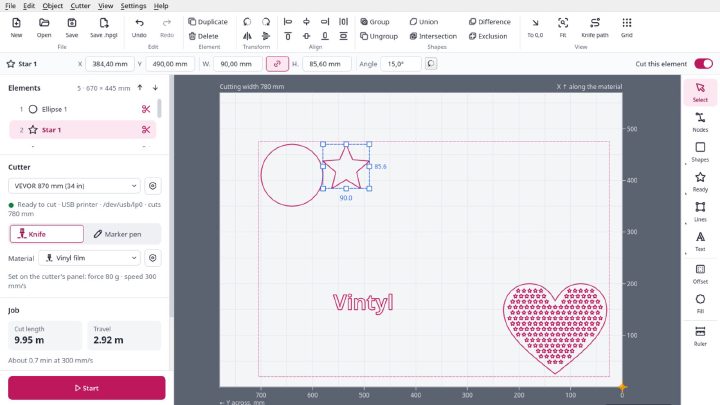
Free software for vinyl cutters on Linux: drawing, SVG and DXF files, laying out on the sheet and cutting straight from the window on VEVOR, Seiki and similar cutters. Knife compensation, materials, pen mode, designs in several colours. AppImage, GPL 3.

Millwise
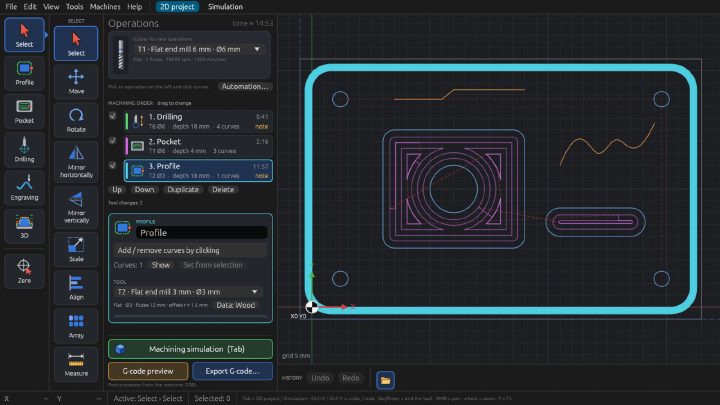
Free CAM software for 3-axis CNC mills: toolpaths and G-code for GRBL, FluidNC and LinuxCNC from DXF drawings and STL models. 2D and 3D machining, relief from a photo, simulation on the graphics card, a tool library. For Linux, an early test version.
PiSafe GUI
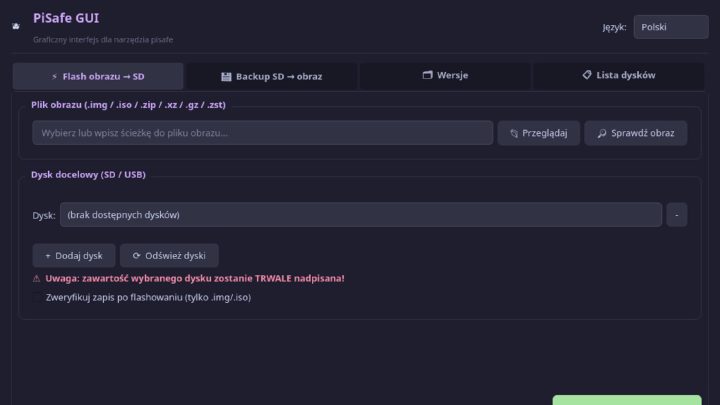
A desktop program for writing system images to SD cards and USB sticks and backing cards up - for the Raspberry Pi and other boards. Protection for system disks, checksums, several cards at once.