 LamaDeck
Version 1.2 · free and open source (GPL 3)
Your whole local AI in one window
LamaDeck runs Ollama on every computer in your home network, puts all your models behind one address for your code editor and other programs, and has its own chat that can search the web, cite its sources and work on files in a chosen folder - also in a browser on your phone. No terminal, no Docker, no cloud.
For Linux, made for KDE Plasma. A repository for Debian, Ubuntu and Mint, an AppImage for other distributions.
- Current version
- 1.2.1
- Price
- free
- Licence
- open source, GPL 3
- Runs on
- Linux, best with KDE Plasma
- Languages
- English, Polish and 5 more
Features
Everything local AI needs
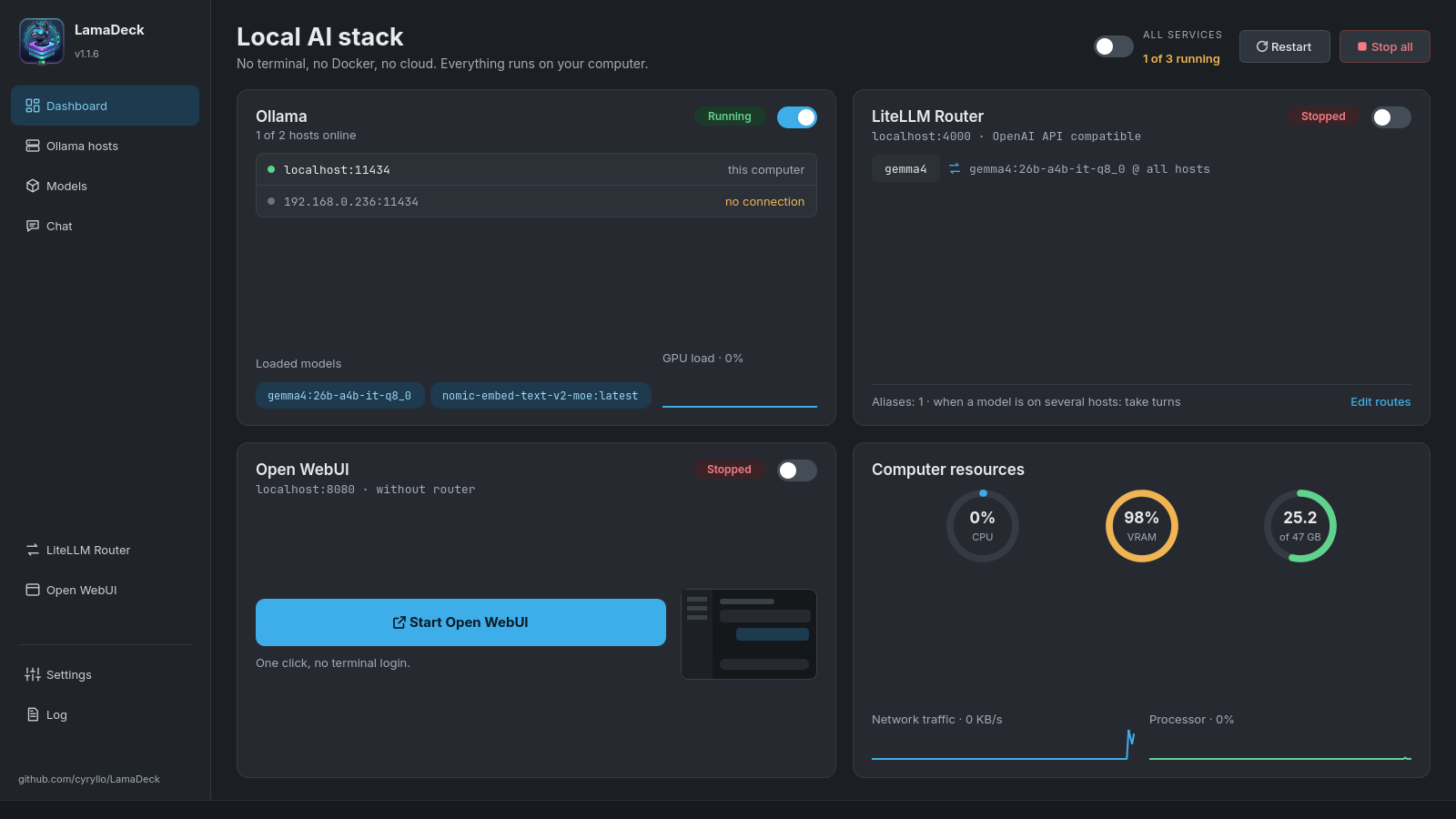
Ollama runs models very well, but you control it with commands in a terminal. LamaDeck started as a small switch for the service and grew into one place for the whole set. Actions that need administrator rights ask for the password in a normal dialog.
One-click installation
Missing Ollama, the router or Open WebUI? The service card shows an Install button. The installation runs in the background and you get a notification at the end.
Ollama on several computers
This computer and any other in your local network: whether it is running, its version, response time, memory used and models. Add a host by typing its address.
Find and download models
One search for the Ollama library and Hugging Face, with the real size of each variant and an estimate of the memory it needs.
Built-in chat
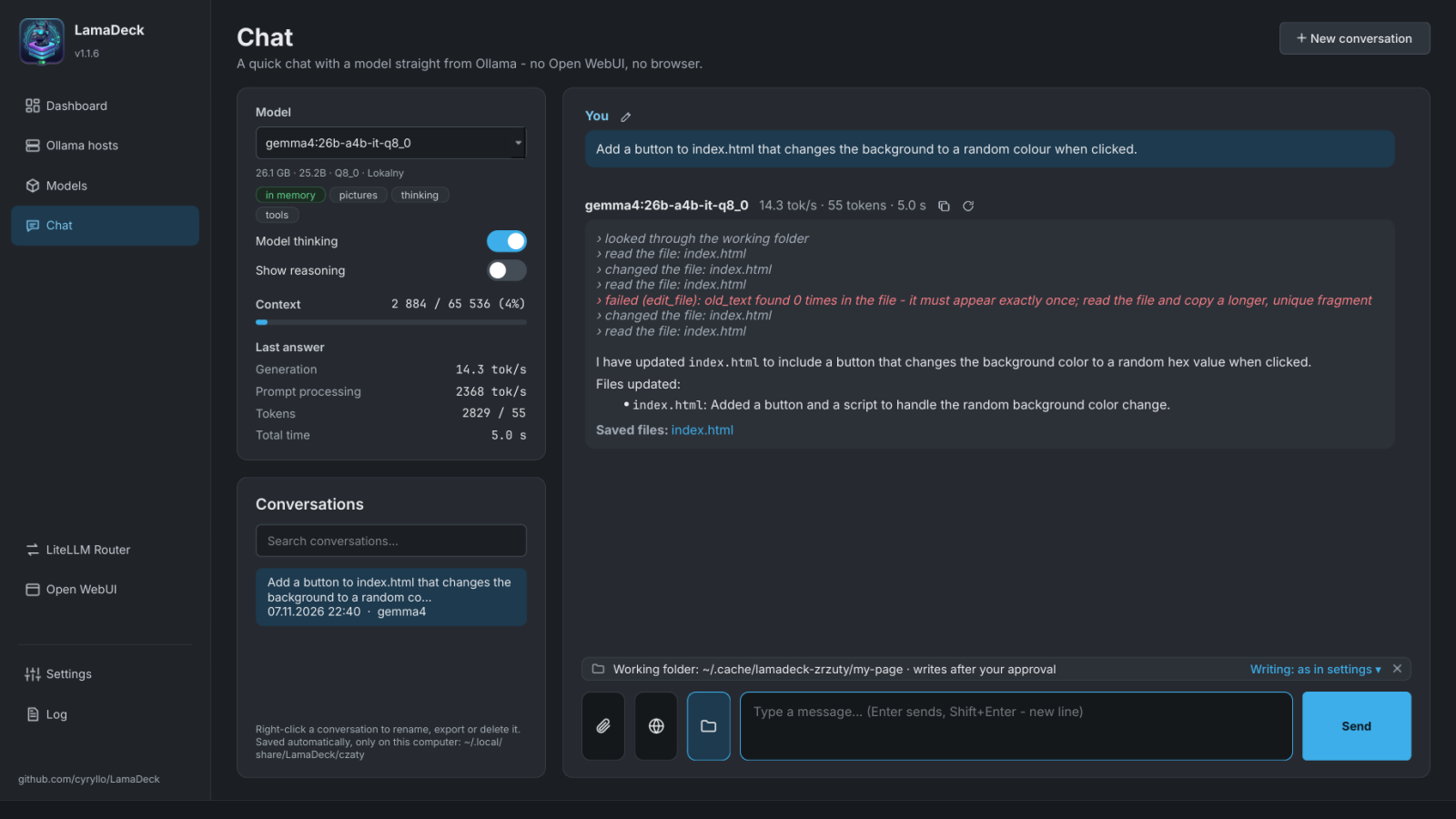
Talk to any model, with web search and sources, photos, PDFs and office documents. Conversations are saved on your disk.
Working folder
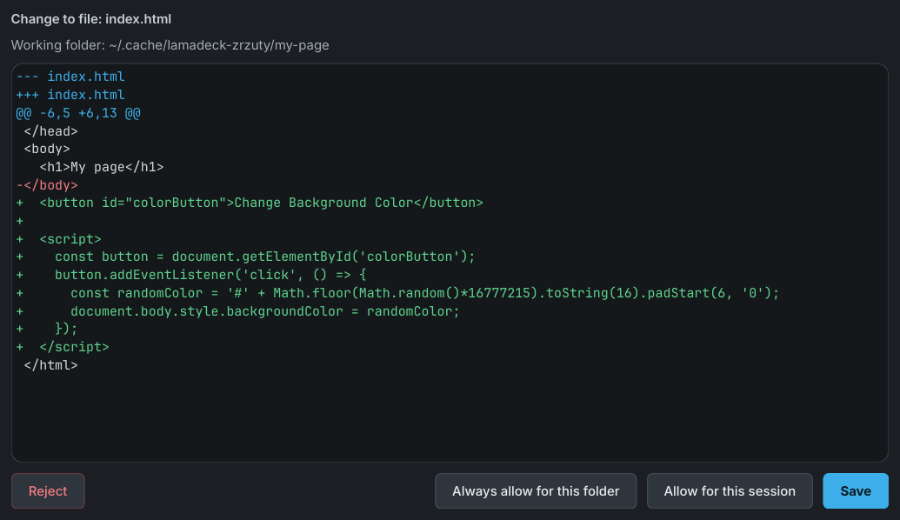
The model reads and searches the files of a chosen folder, but changes them only with your consent, with a preview of every change. A saved page or game shows right beside the conversation.
Chat in the browser
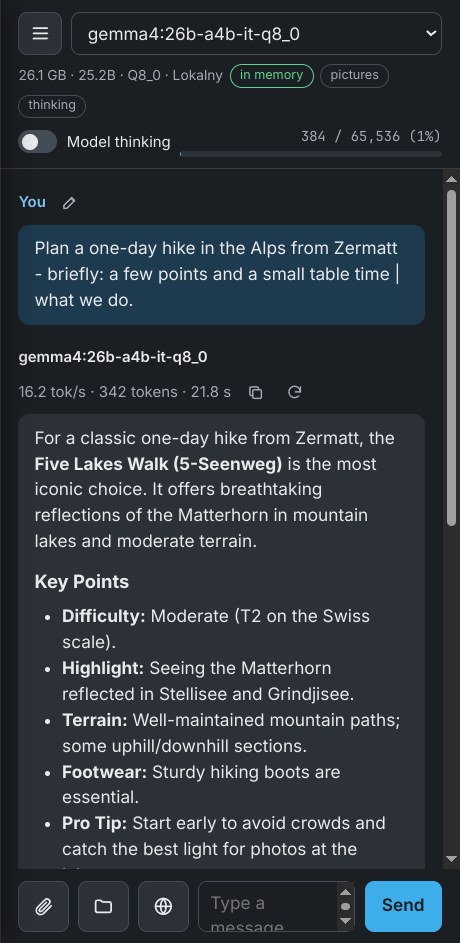
The same chat, models and conversations in a browser, also on your phone. Start at the computer, finish on the sofa.
One address for all models
The LiteLLM router serves the models from all your computers at one OpenAI-compatible address - for your code editor and other programs.
Open WebUI without Docker
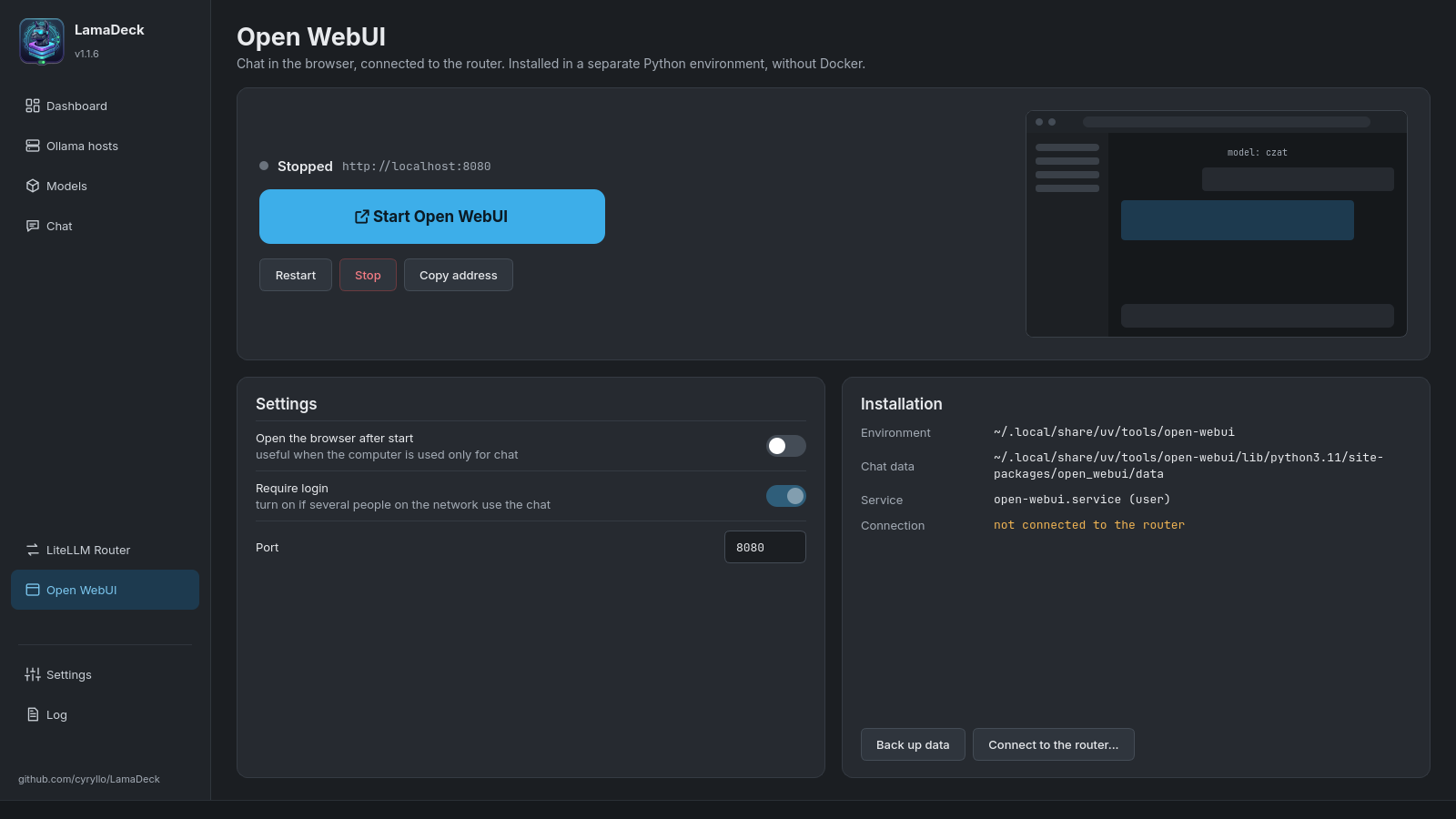
A full chat in the browser, with accounts and knowledge bases. Installed and run without Docker and without administrator rights.
A log that explains itself
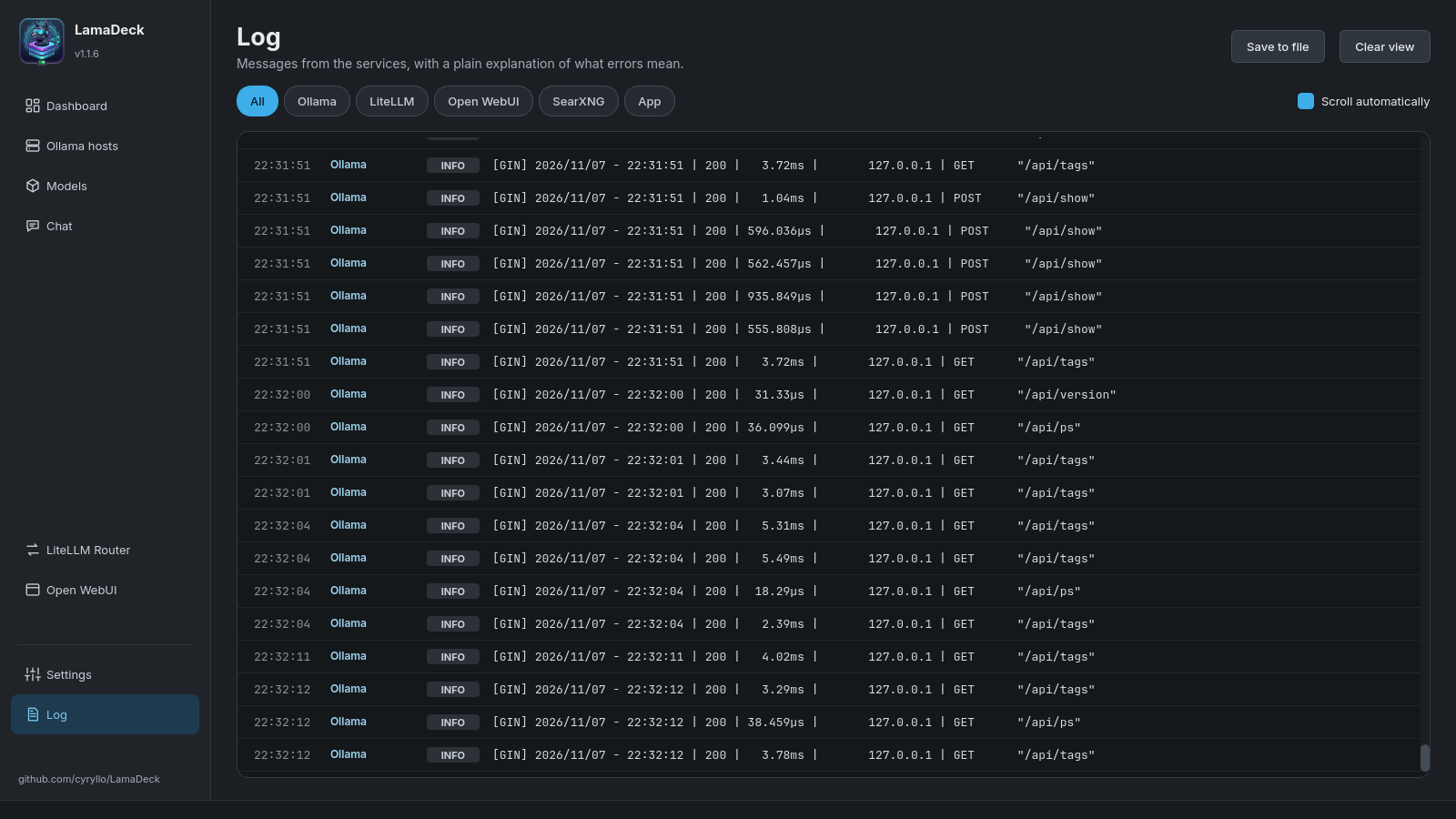
Messages from all services in one list. Errors get a plain explanation of what went wrong.
In the system tray
A small window with the service switches, the computer's load and the models in memory. Closing the window does not quit the program.
Seven languages
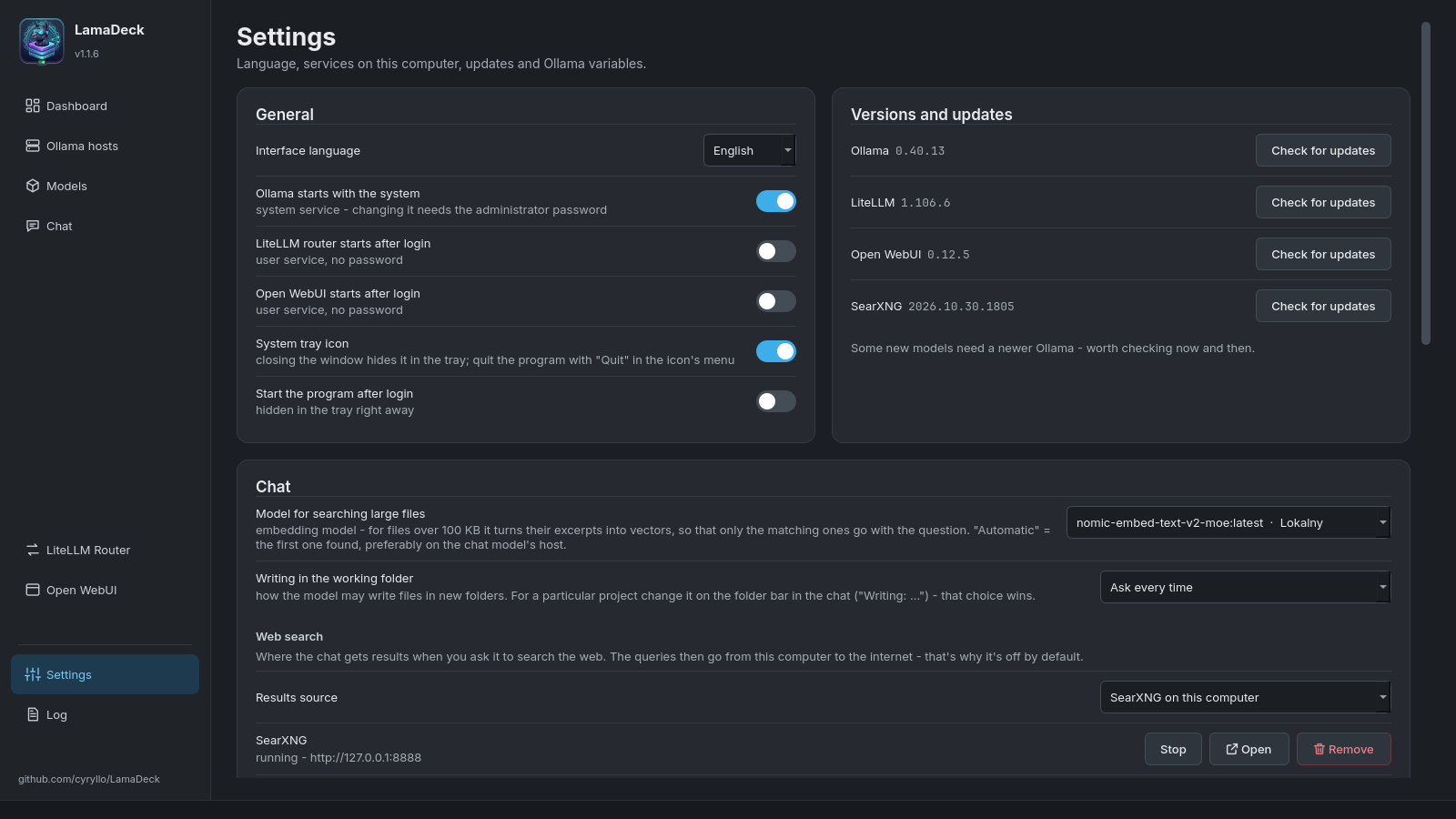
The interface in English, Polish, German, Spanish, French, Italian and Portuguese, and a full user guide with a screenshot of every screen.
Chat
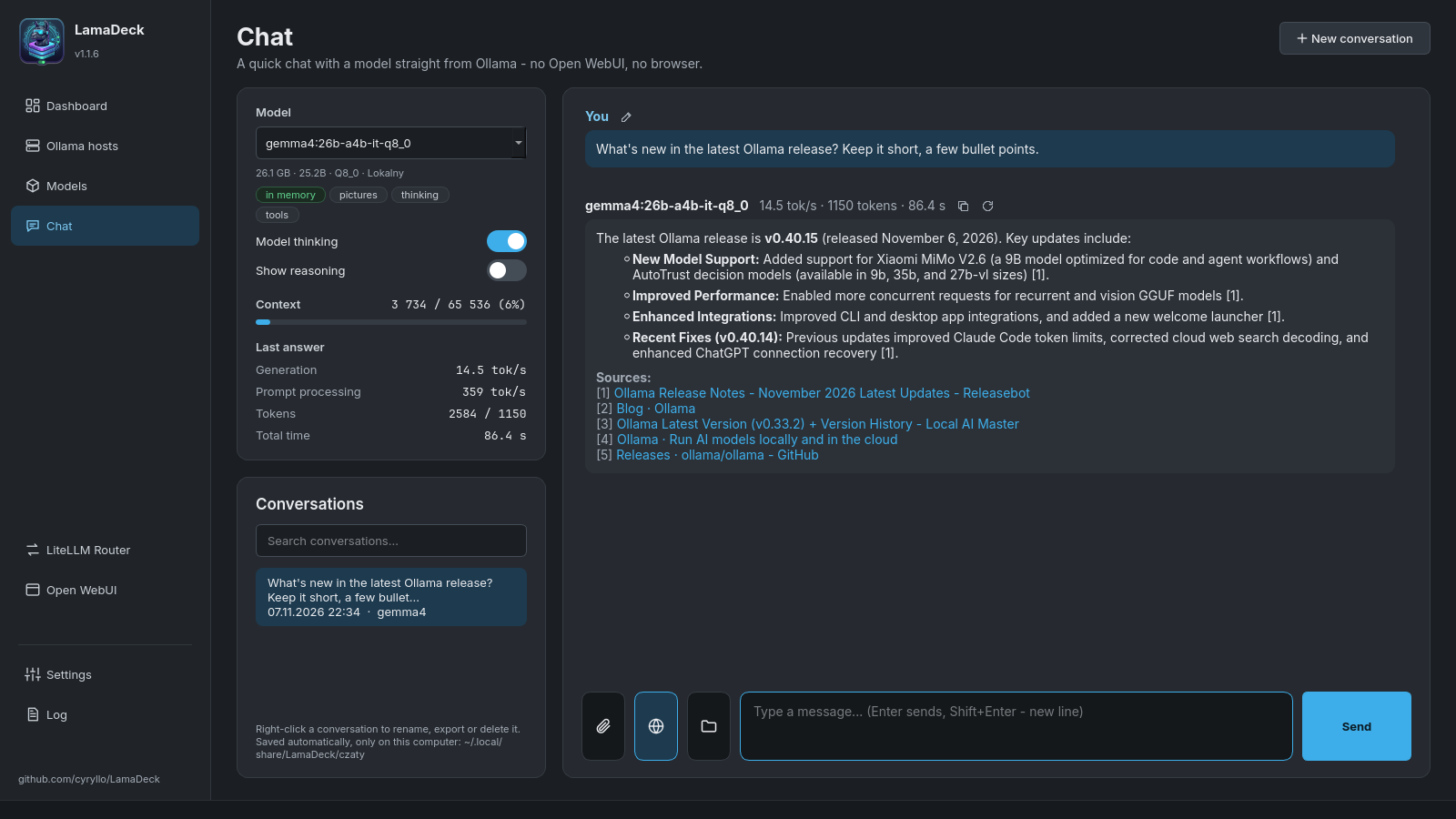
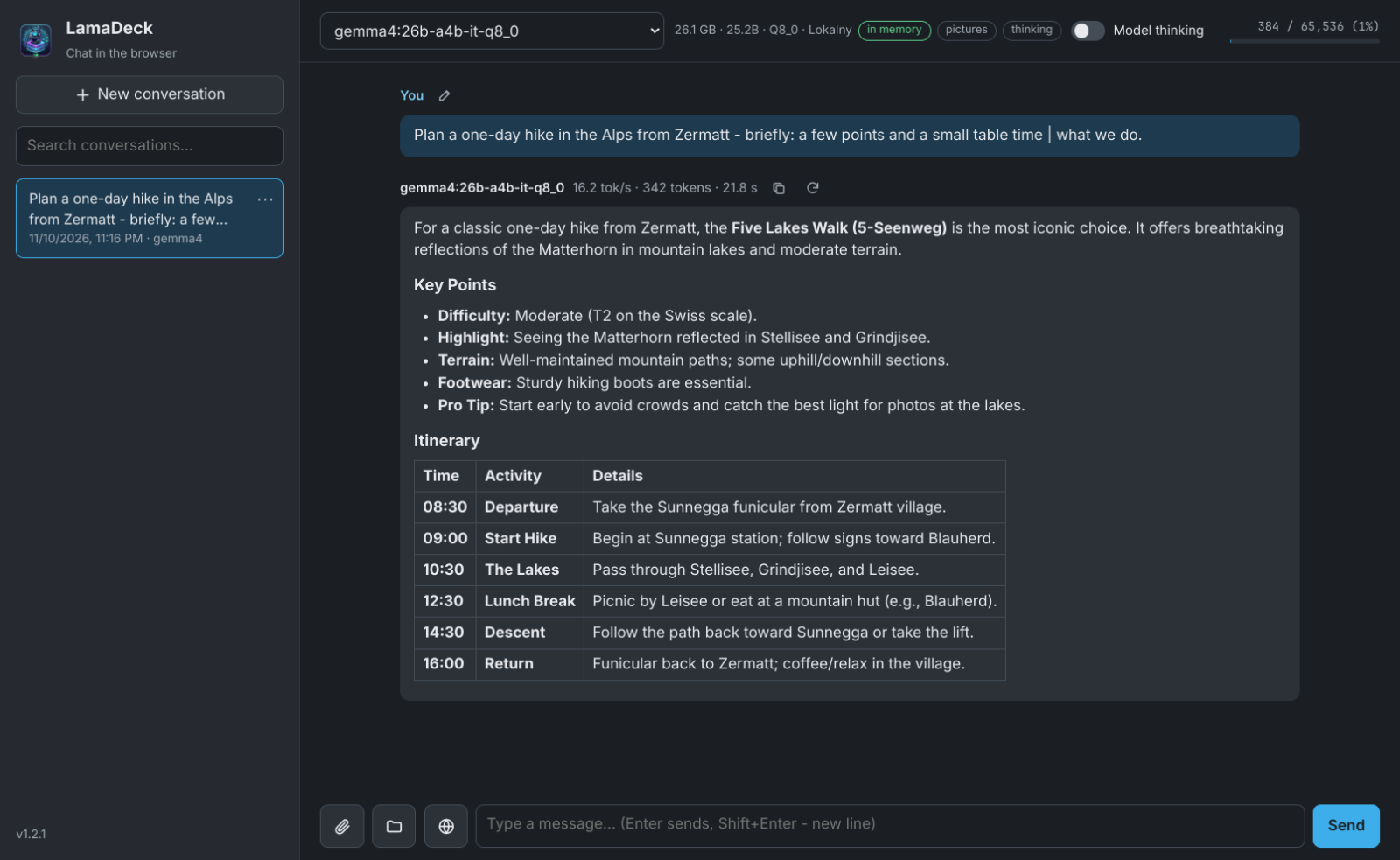
A chat that searches the web and shows the numbers
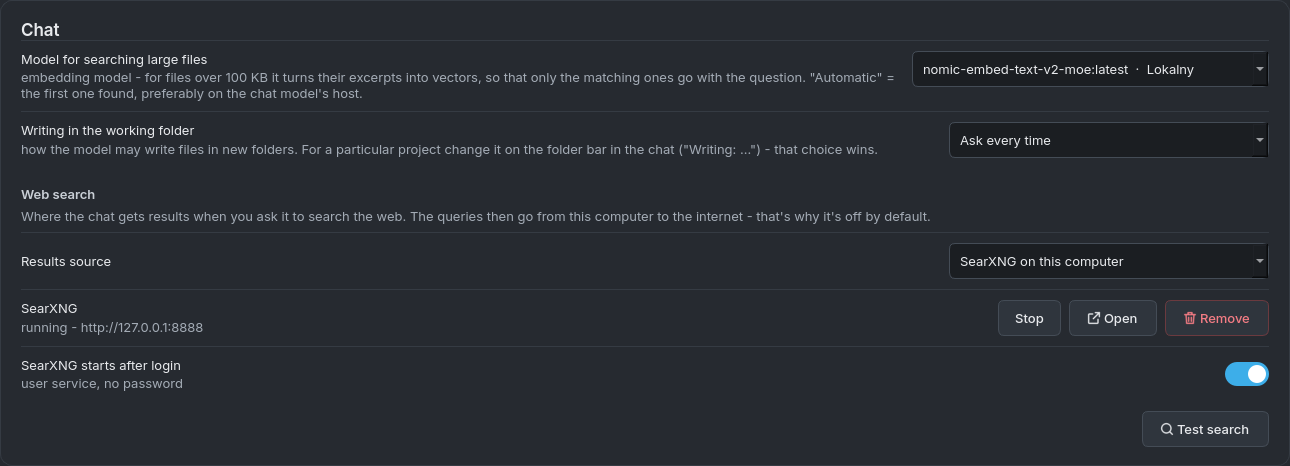
- Search with sources - one click on the globe, the model writes its own queries, the program reads the pages and the answer cites them as [1], [2]. Results come from SearXNG, installed with one click, without an account.
- Attachments - photos, PDFs, Word, Excel and LibreOffice documents, text files. Large files (up to 20 MB) are searched in pieces.
- Links - paste a web address and the program fetches the page's text and adds it to the question.
- Speed and context - tokens per second under every answer and how full the conversation's memory is, with a warning before the model starts forgetting its beginning.
- Thinking on/off for reasoning models: a short answer in half a second instead of fifteen.
- Conversations save themselves - with search, renaming and export to Markdown.
New in version 1.1
The model works on your files - with your consent
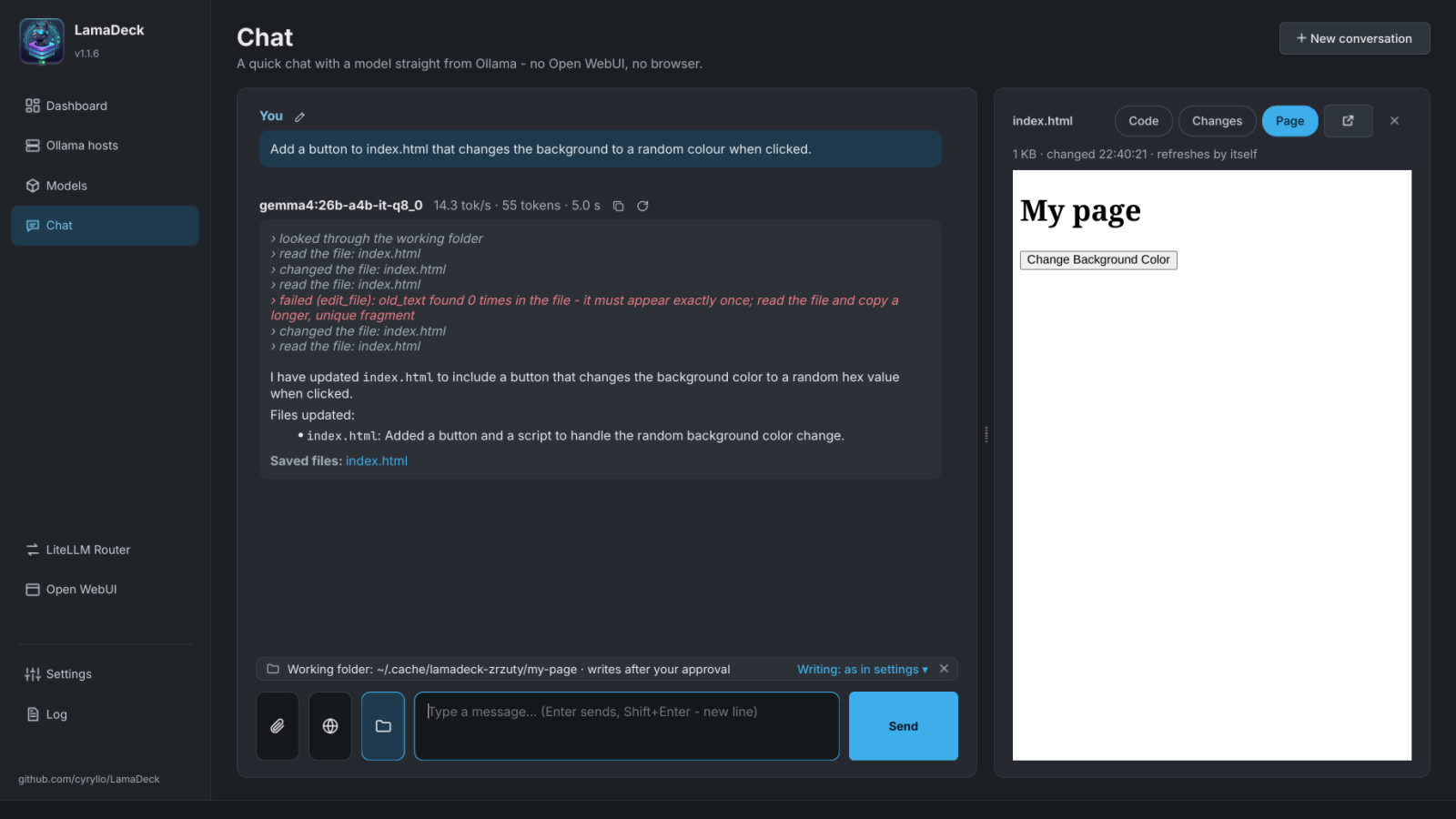
The folder button next to the message field sets the working folder. A model with tool support (qwen3 or gemma4, for example) can then browse, read and search its files, change them and create new ones - it saves programs, pages, games and documents straight to files.
- Every write needs your consent - before a change you see exactly what will change, and choose: save once, allow for this session or always for this folder. Set the default in the Settings and override it for a project in the folder bar.
- Safe limits - the model cannot leave the chosen folder, does not delete files and does not run commands.
- Preview beside the conversation - under the answer there is a list of saved files. A click opens the code, the changes, or the web page or game shown as in a browser, and the preview refreshes itself when the model saves the file again.
- The model's steps show in the answer, and the folder is saved with the conversation.
New in version 1.2
The same chat in the browser and on your phone
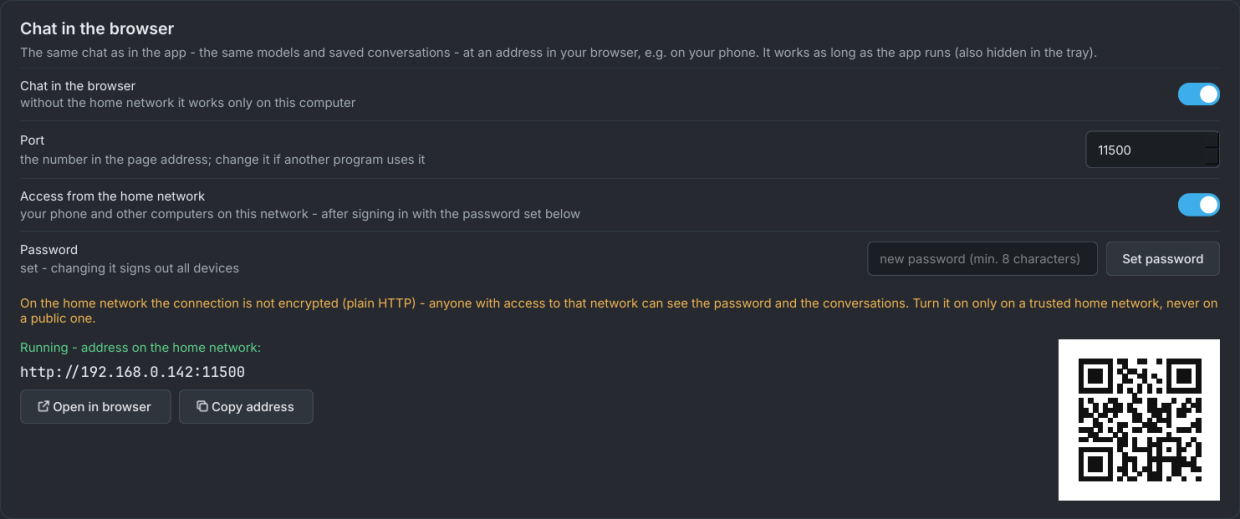
LamaDeck serves its chat at an address in the browser - with the same models and the same saved conversations as in the program window.
- Everything the window has - the answer written as it comes, web search, links, attachments (also a pasted screenshot), the working folder with its consent dialog and the preview of saved files.
- On your phone - in the Settings, allow access from the home network, set a password and scan the QR code. The Open in browser button on the Chat screen opens the current conversation.
- Safe by default - the browser chat is off, and when switched on it works only on this computer. The home network needs a password, with a limit on login attempts.
- While an answer is being written in one place, the other one only reads that conversation - nothing gets overwritten.
Models
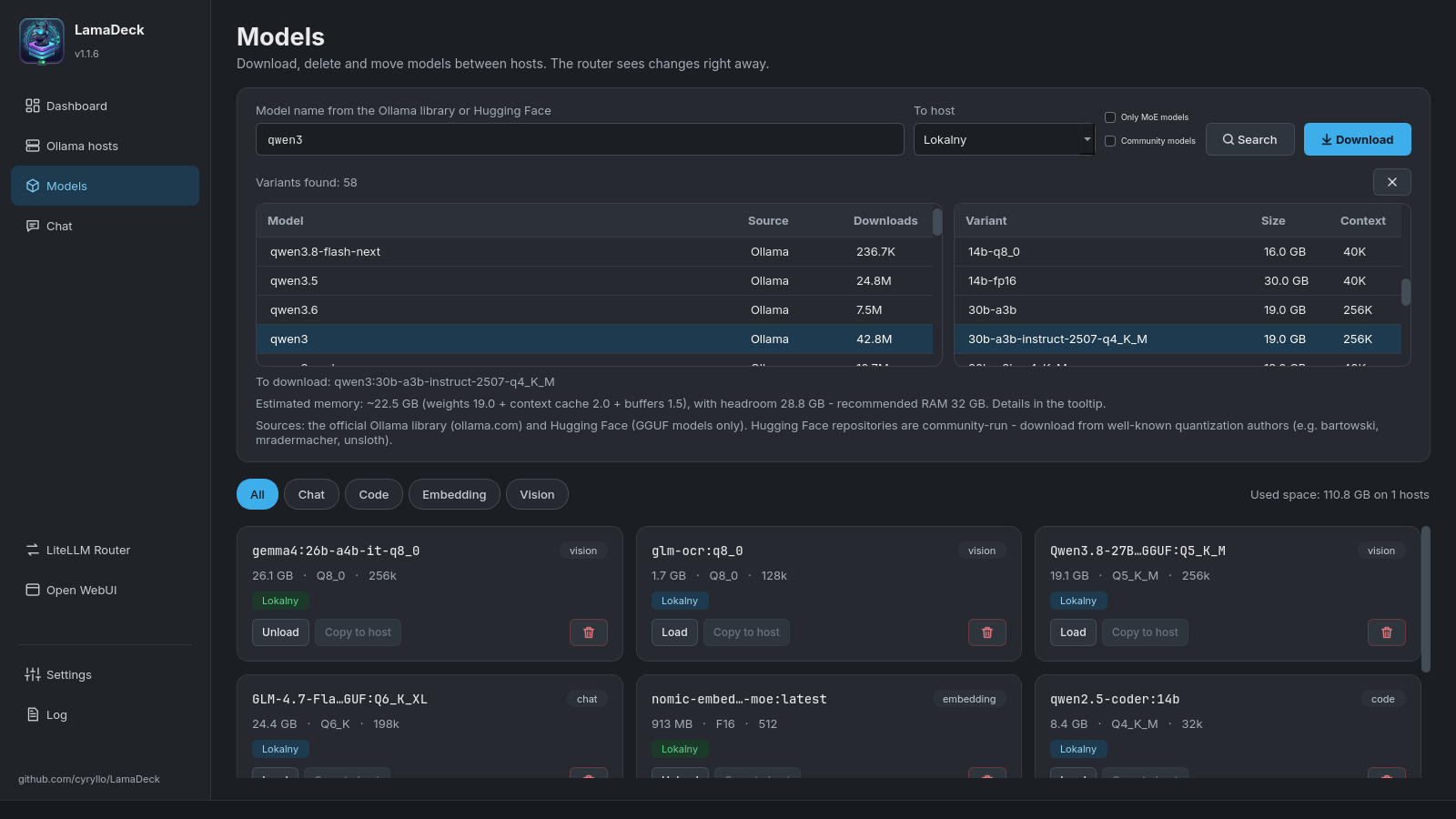
Know which model fits in your memory
- One search for the Ollama library and GGUF files from Hugging Face.
- For every variant the real file size, the context length and an estimate of the memory it needs.
- Downloads with a progress bar - an interrupted one resumes where it stopped.
- A MoE models only filter - they run much faster on laptops and computers without a strong graphics card.
- Downloaded models as tiles: load into memory, unload, copy to another computer or delete.
Home network
A strong desktop and a laptop - one panel
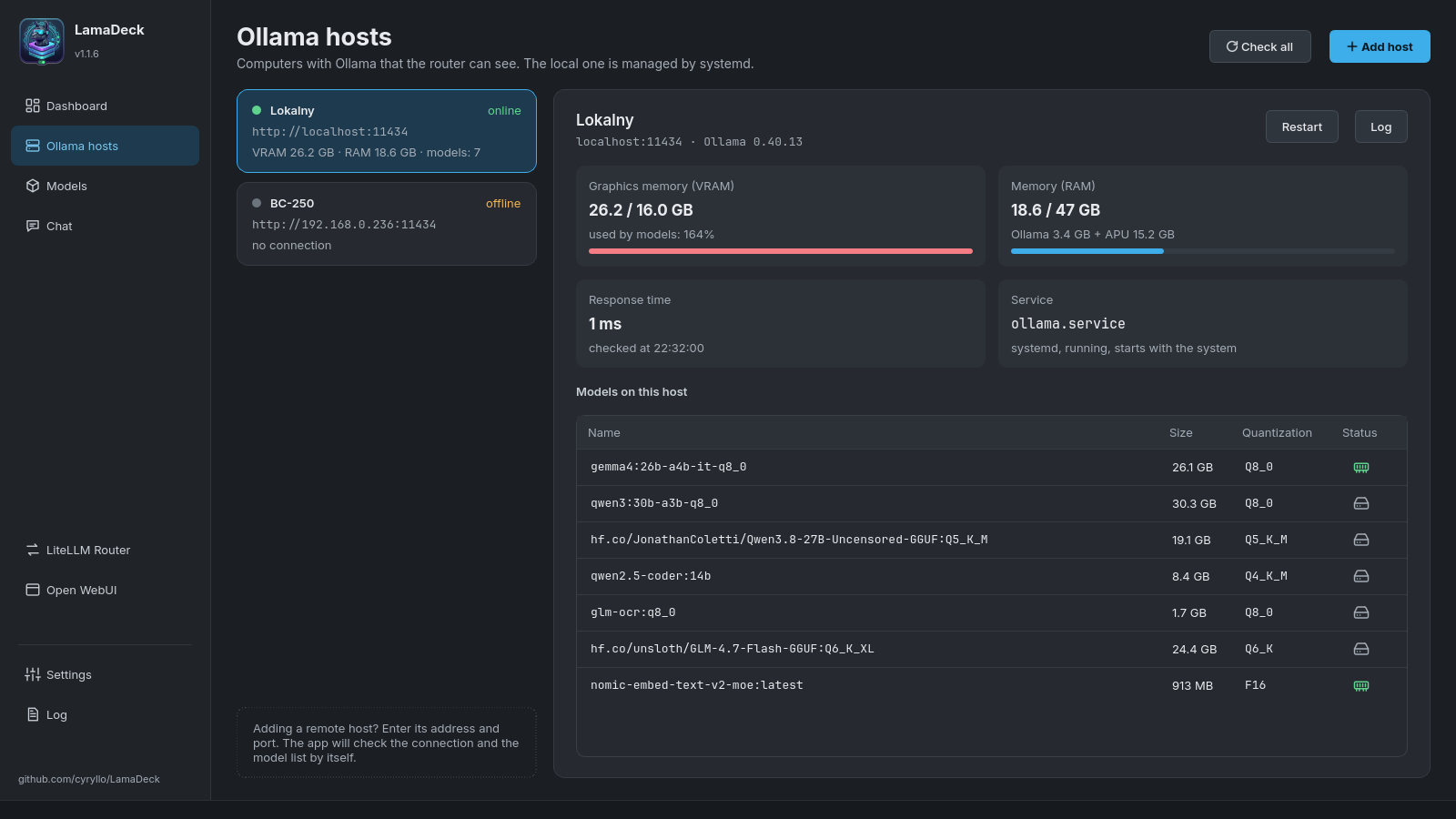
LamaDeck handles Ollama on several computers at once. Add another computer by typing its address, and the program shows:
- whether the host is running, which version of Ollama it has and how fast it answers,
- how much graphics card memory and RAM the models take (also on computers with graphics built into the processor),
- which models are on the disk and which are loaded into memory.
For developers
One address for your code editor
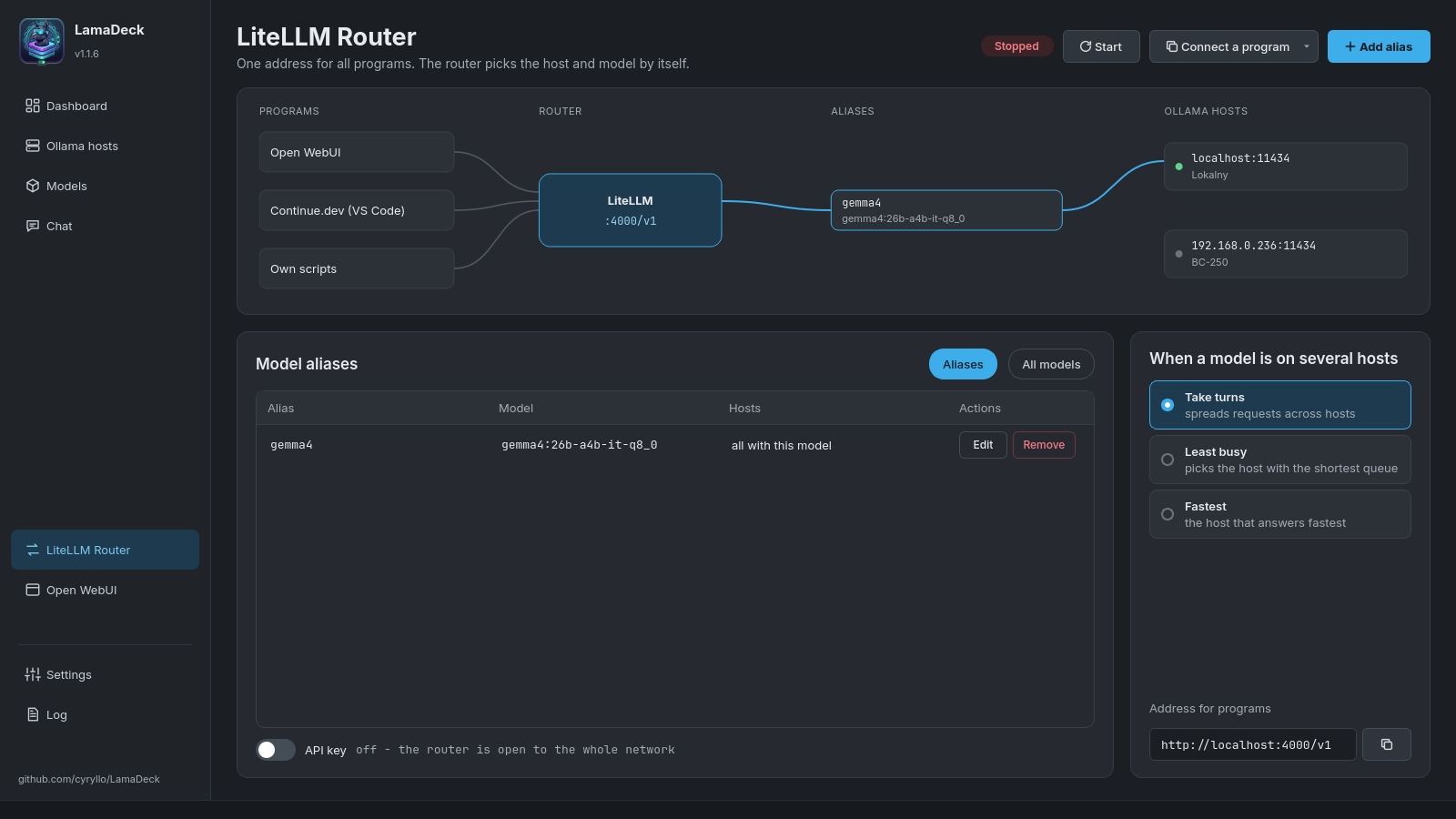
The LiteLLM router serves the models from all your computers at http://localhost:4000/v1, compatible with the OpenAI API.
- Fixed aliases such as
codeorchat- change the model behind an alias without touching your programs' settings. - When a model is on several computers, the router picks one in turn, the least busy or the fastest.
- A ready
config.yamlfor Continue.dev and instructions for connecting Open WebUI. - Installed without Docker and without administrator rights.
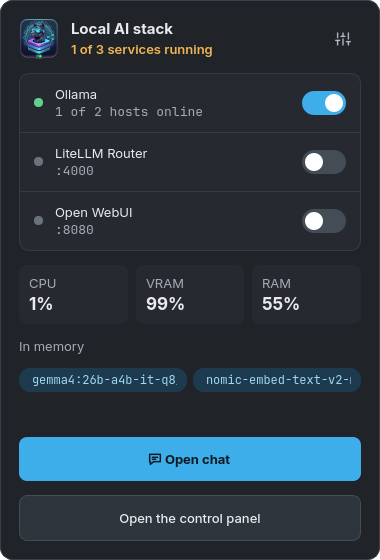
System tray
Or simply next to the clock
- A small window: service switches, the processor, graphics card memory and RAM, and the models in memory.
- One click opens the chat or the main window.
- Closing the window does not quit the program, and LamaDeck can start after login, straight into the tray.
Screenshots
See every screen
Click a screenshot to enlarge it.
Who it is for
Who will find it useful
You want local AI, not a terminal
Install Ollama, download a model and chat - all from a window, with every option explained.
You have several computers
A desktop with a strong graphics card, a laptop, a home server - see and manage them all from one place.
You write code
Connect local models to your code editor through one OpenAI-compatible address, with fixed aliases.
Installation
Install it in a minute
Made for KDE Plasma (other desktops work too). You install Ollama itself later, from within the program.
Debian, Ubuntu, Mint - from the repository
Add the repository once. After that, LamaDeck is updated together with the rest of the system.
sudo curl -fsSLo /usr/share/keyrings/lamadeck-archive-keyring.gpg \
  https://cyryllo.github.io/LamaDeck/apt/lamadeck-archive-keyring.gpg
sudo curl -fsSLo /etc/apt/sources.list.d/lamadeck.sources \
  https://cyryllo.github.io/LamaDeck/apt/lamadeck.sources
sudo apt update
sudo apt install lamadeck
From a downloaded .deb package
Download lamadeck_…_all.deb from the releases page and install it. The package adds the repository itself, so updates arrive the same way.
sudo apt install ./lamadeck_*_all.deb
Any distribution - AppImage
One file with everything inside, for Fedora, Arch, openSUSE and others. Download LamaDeck-…-x86_64.AppImage from the releases page and run it. On the first start the program offers to add itself to the menu.
chmod +x LamaDeck-*-x86_64.AppImage
./LamaDeck-*-x86_64.AppImage
Without administrator rights
The script copies the program to your home folder and adds it to the menu. To update, run the same script again.
git clone https://github.com/cyryllo/LamaDeck.git
cd LamaDeck
./install.sh
The AppImage needs a distribution from 2022 or newer (Ubuntu 22.04, Debian 12, Fedora 35). The page preview in the chat uses QtWebEngine - the packages include it (which makes the AppImage about 175 MB), and when it cannot start, the page opens in your browser. Up to version 0.9 the program was called Ollama Manager - installing LamaDeck replaces the old package and keeps its settings and conversations.
First steps
From zero to your first conversation
Install Ollama from the program
If you do not have Ollama yet, click Install on its card on the dashboard. The program uses the official script.
Download a model
On the Models screen type gemma or qwen, for example, choose a variant that fits in your memory and click Download.
Start talking
Go to the Chat screen and ask your first question - the conversation saves itself. The user guide describes every screen step by step.
Version 1.1 brought the working folder to the chat, and 1.2 the same chat in the browser, also on your phone. Next: polishing after everyday use. Report bugs and ideas on GitHub.
Local AI without the terminal
From installing Ollama, through choosing a model, to a chat with web search. Install LamaDeck from the repository or as an AppImage in a minute.
Screenshots: Cyryl Sochacki, from the LamaDeck repository (GPL 3). LamaDeck is an independent project, not affiliated with the makers of Ollama.Other projects
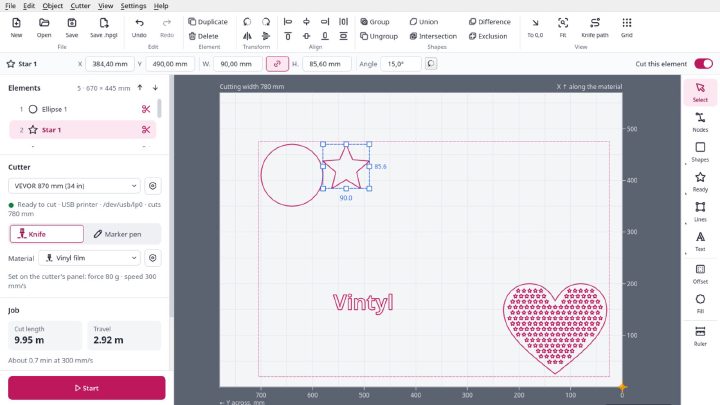

Vintyl
Free software for vinyl cutters on Linux: drawing, SVG and DXF files, laying out on the sheet and cutting straight from the window on VEVOR, Seiki and similar cutters. Knife compensation, materials, pen mode, designs in several colours. AppImage, GPL 3.
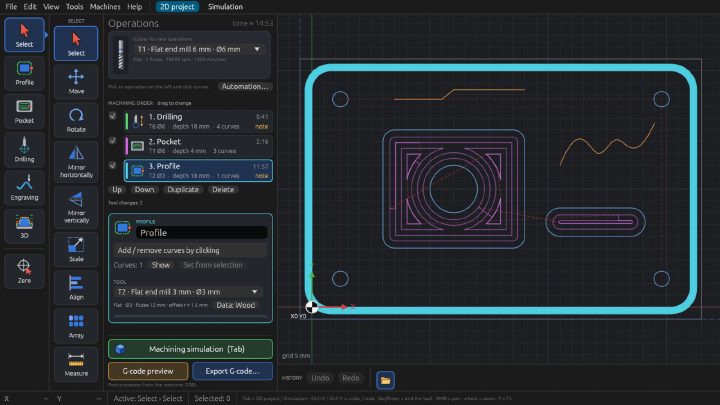
Millwise
Free CAM software for 3-axis CNC mills: toolpaths and G-code for GRBL, FluidNC and LinuxCNC from DXF drawings and STL models. 2D and 3D machining, relief from a photo, simulation on the graphics card, a tool library. For Linux, an early test version.

Pakieciarka
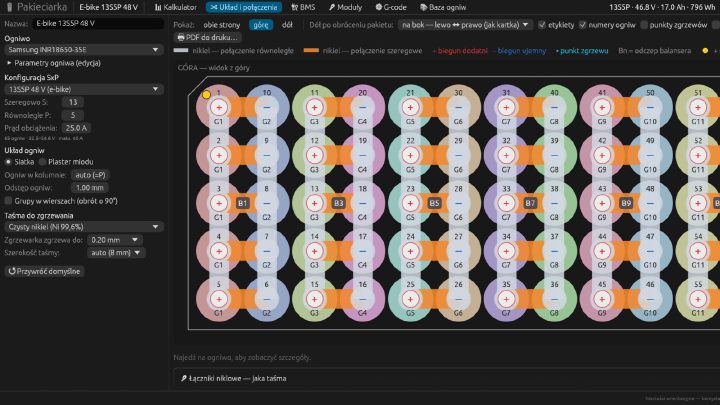
A configurator for battery packs built from 18650 and 21700 cells: a calculator, connection drawings, nickel strip and BMS selection, a heat map, a 1:1 PDF template and G-code for a CNC spot welder. Linux, macOS and the browser. Interface in Polish.